
Track players and keep drawings on after a pause
Follow a player through the video after a pause, fix a track that slipped, and keep arrows, shapes, zones and offside lines on screen while the video plays.
Track a player
A tracked player keeps their marker, name and icon as the video plays on after the pause, so viewers can follow them.
- Mark the player in a pause (see Mark players) and select them.
- Set Track forward: how many seconds to follow them, from 1 to 12.
- Press Track player.
Tracking runs in your browser. It takes a little while; the editor says when it's done. A bar under the timeline then shows how long the player is followed.
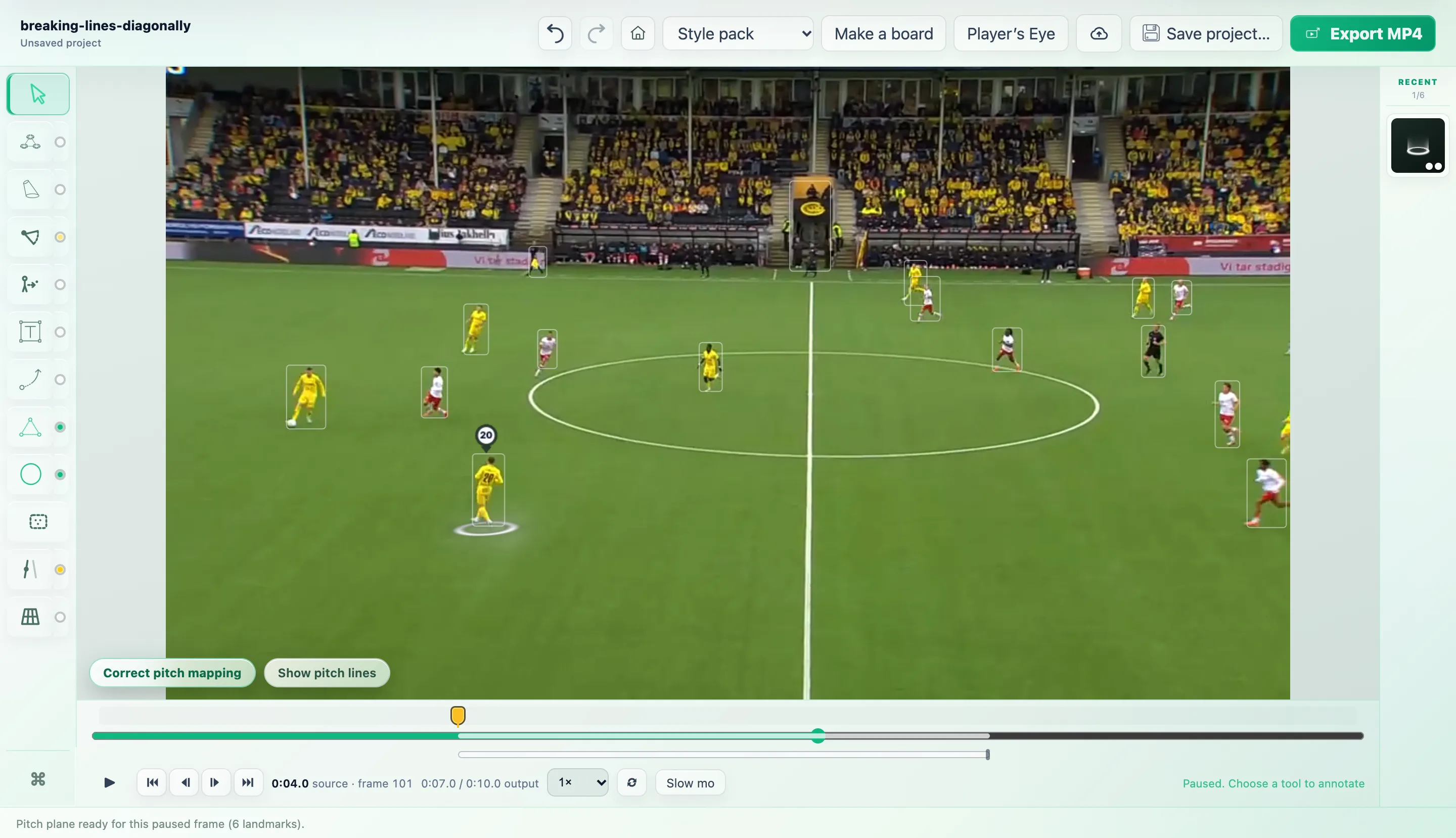
Fix a track that slipped onto another player
- Play or scrub to where the marker went onto the wrong player, and stop there.
- Drag the marker back onto the right player.
- Press Continue tracking from here. The path up to this frame stays as it is.
Or press Retrack player to start again, or Remove tracking to go back to a marker in the pause only.
Shorten a track
Drag the end of the player's bar under the timeline. You can bring it back out as far as it was tracked.
Players' looks while tracked
Tracked players keep their marker look, name, icon and colour. A tracked Beam spotlight stays lit through the video. Turn on Motion trail to draw a streak on the grass where the player has just been.
Keep a drawing on while the video plays
Arrows, lines, shapes, circles and text on the pitch can stay on after their pause, fixed to the pitch as the camera moves:
- Select the drawing.
- Set Keep on while playing: how many seconds, from 2 to 12.
- Press Follow camera. The editor works out how the camera moves and keeps the drawing on the same part of the pitch.
Only in the pause puts it back to its pause only. Drag the end of its bar under the timeline to shorten it.
Keep pitch zones and offside lines on
- Pitch zones: select them, set Keep on while playing and press Follow camera.
- Offside line: select it, pick the players it should follow, then press Track players. The line moves with them as play goes on.
If the pitch can't be found after the pause (a close-up or a replay), the drawing stays in its pause and the editor says so.
Text that stays on screen
Overlay text can stay on screen after its pause without following anything: see Keep text on screen.
Something missing, wrong or unclear? Tell us and we'll fix it.