
Export your analysis as an MP4
Choose the part of the clip to export, crop it, pick the quality and pause lengths, and download a video to share with players and staff.
Export a video
- Press Export MP4 in the header.
- Set what to export (below). The preview shows the result, pauses and all.
- Press Export and download.
The video is made in your browser, so keep the tab open until it's done. When it is, the MP4 downloads; Download again downloads it once more and Open opens it. The file is named after your clip, for example drawtactics-match-clip-annotated.mp4.
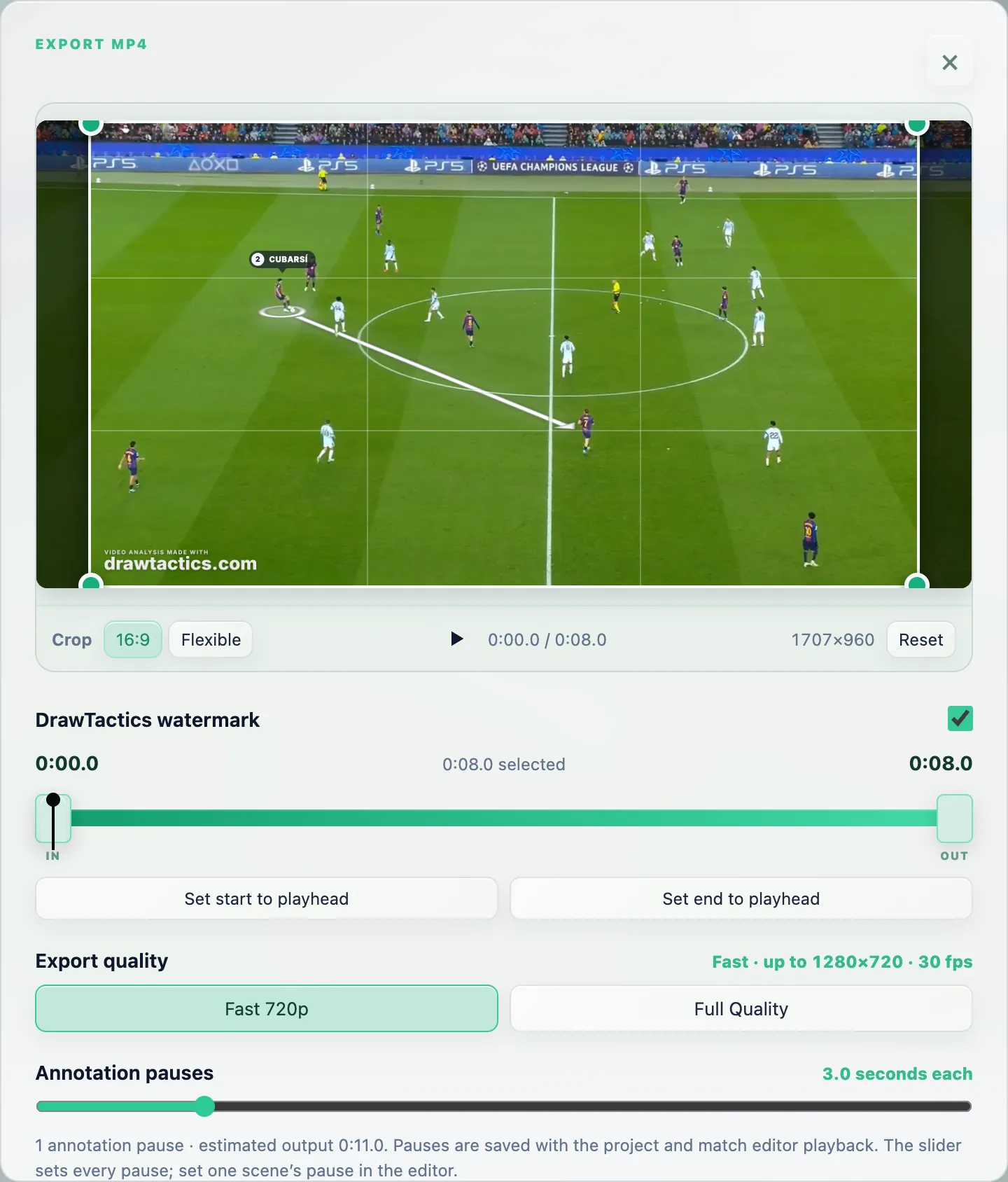
Export part of the clip
Drag the IN and OUT handles on the export timeline to export only part of the clip, or play the preview and press Set start to playhead and Set end to playhead. Pauses outside the range are left out; the range needs at least one pause inside it.
Crop
Crop frames the video:
- 16:9: the usual widescreen shape.
- Flexible: any shape.
Drag the crop box, or its corners, in the preview. Reset shows the whole picture again.
Quality
Export quality:
- Fast 720p: up to 1280×720 at 30 frames a second. Quicker to make and smaller to send.
- Full Quality: the clip's own size and frame rate (or the crop's).
Pause lengths
Annotation pauses shows how long the pauses hold in this export. Set every annotation pause sets them all at once. To set one pause's length, use Scene pause length in the editor. See Pauses.
Watermark
DrawTactics watermark adds a small DrawTactics mark in the corner. Untick it to export without one.
Players in front of your drawings
In the export, drawings in a pause go behind the players, as if painted on the grass. To do this the export finds where the players are in each pause. If that's still running, the export waits up to 30 seconds for it ("Cutting the players out of your pauses…"); a pause that isn't ready by then exports with its drawings over the players, and the finished export says so.
Sound
The clip's sound is kept, silent during pauses and slowed with any slow motion. If your browser can't encode the sound, the export says it had to leave it out.
Something missing, wrong or unclear? Tell us and we'll fix it.