
Save, open and export
Save boards to Your projects or as a file, open them again, and export a video or a picture.
Save to Your projects
File › Save to Your projects… saves the board to your account, so it opens on any device you sign in on. After that it saves by itself as you work, and the cloud button in the top bar shows whether it's saved.
File › Open from Your projects opens Your projects.
Save as a file
File › Download file (or ⌘S) saves the board as drawtactics-<board name>.json. File › Open file… opens one again: boards from the Animator, from the DrawTactics app, or from the Classic Animator.
Export a video or a picture
Press Export:
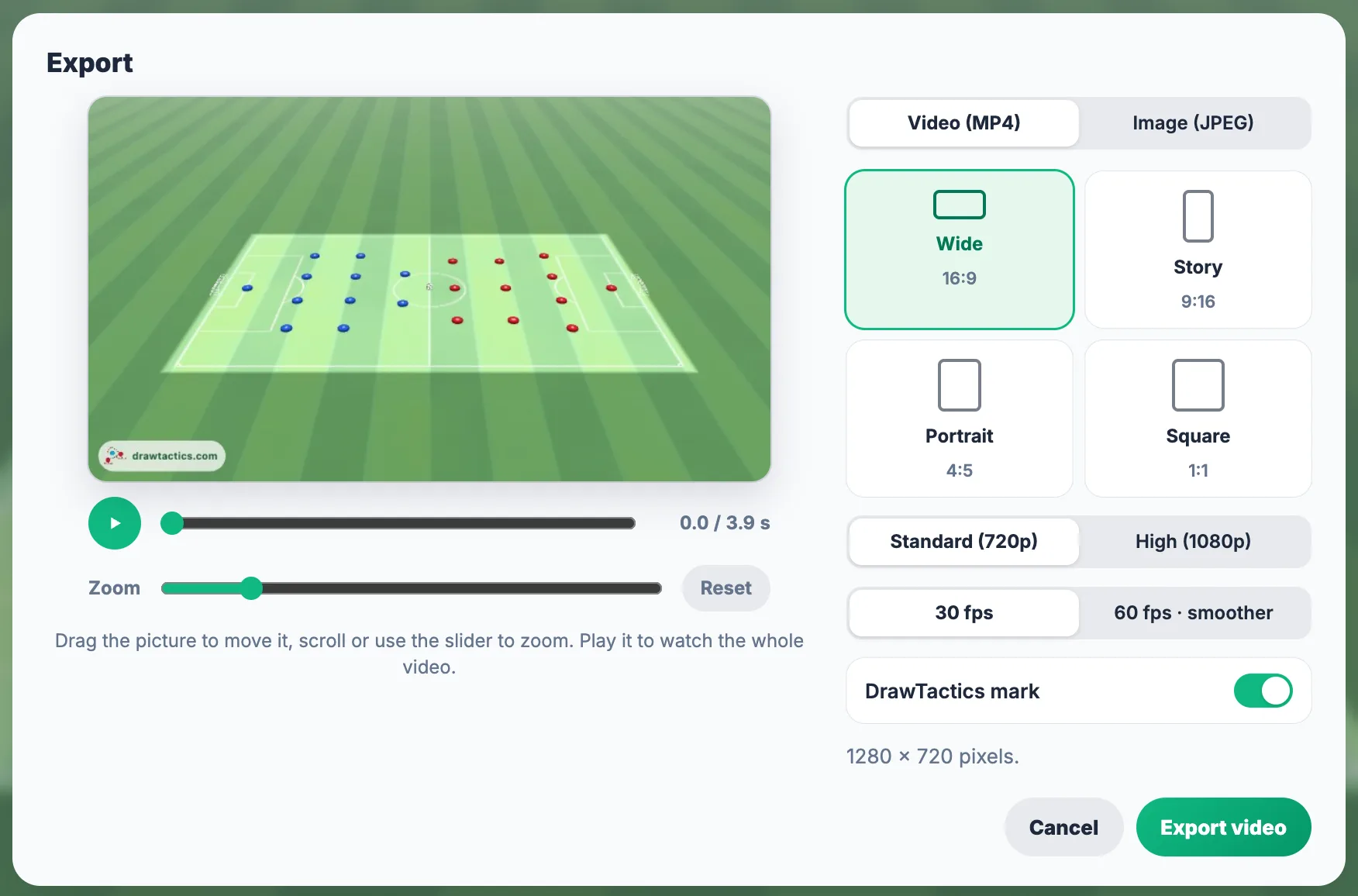
- Choose Video (MP4) or Image (JPEG). A video needs at least one step after the start.
- Choose the shape: Wide (16:9), Story (9:16), Portrait (4:5) or Square (1:1).
- For a video, choose the quality (Standard (720p) or High (1080p)) and 30 fps or 60 fps.
- Frame the picture in the preview: drag to move it, scroll or use Zoom to zoom. Reset frames it again. A video's preview plays, and you can scrub through it.
- Turn DrawTactics mark on or off.
- Press Export video or Export image.
The video plays your steps with their timing, through the camera you've chosen. A picture shows the step you're on, at 1920 pixels on its long side. Video export needs an up-to-date browser.
Something missing, wrong or unclear? Tell us and we'll fix it.