
Get started with the Animator
Start a board on a full-size pitch, a small-sided pitch or a futsal court, and make your first animation step by step.
What you need
- A DrawTactics membership. The Animator is part of it, with every other tool.
- A computer or tablet.
The Animator runs in your browser. It draws a rendered pitch with players in kits, and plays your moves with TV-style cameras.
Start a board
Open the Animator. The first time, Start a board opens. (Later, File › New board… opens it again; it replaces the board you have open, so save that first.)
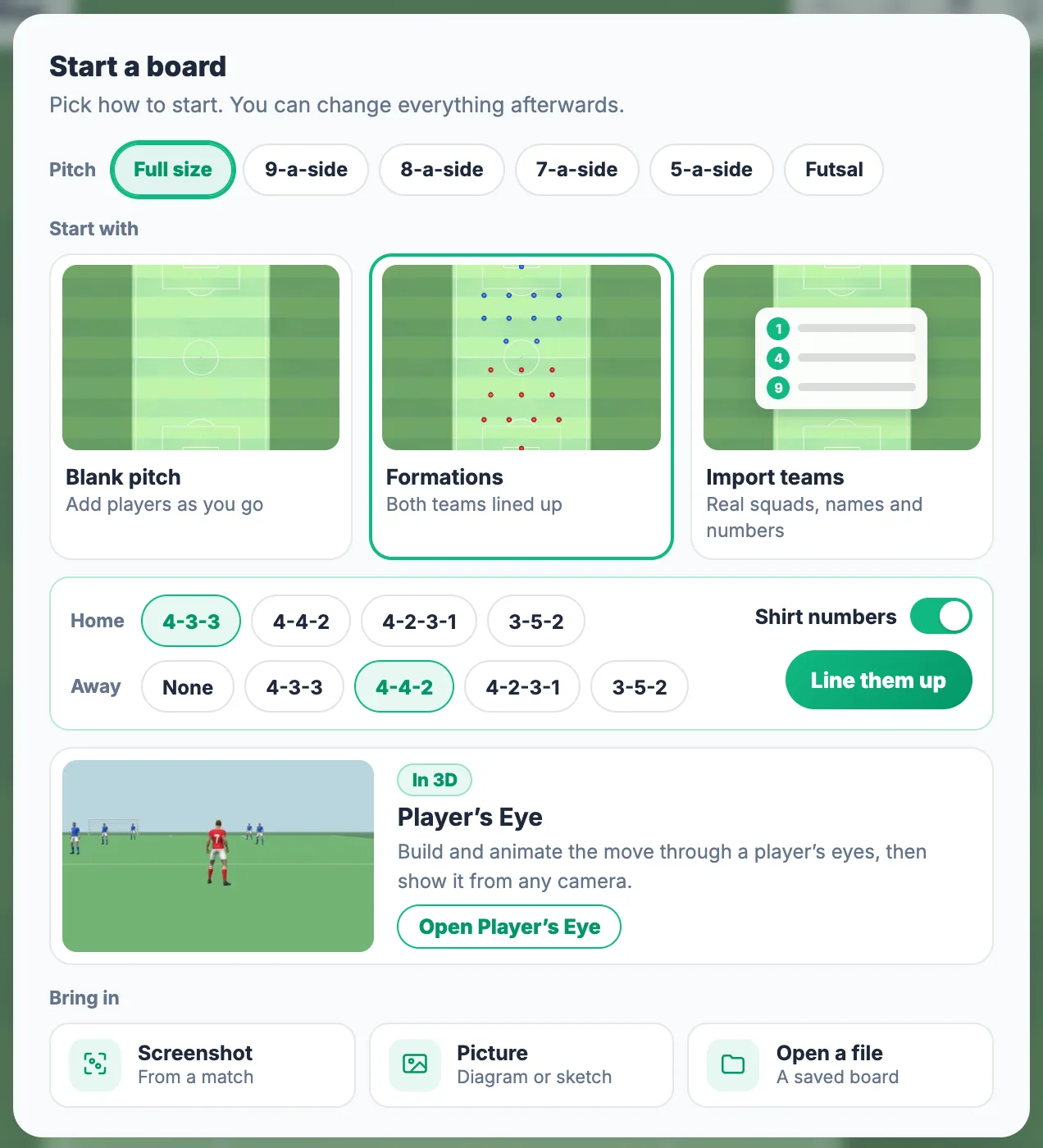
- Pitch: Full size, 9-a-side, 8-a-side, 7-a-side, 5-a-side or Futsal (a 40 × 20 m court).
- Start with: - Blank pitch: add players as you go. - Formations: both teams lined up. Pick each team's formation (the away team can be None), choose whether to show Shirt numbers, and press Line them up. - Import teams: real squads, with names and numbers. See Import a squad.
- Or Bring in a match Screenshot, a Picture of a diagram or sketch, or Open a file you saved. See Boards from screenshots and pictures.
Player's Eye in the same window lines the teams up and opens the move in 3D through a player's eyes. See Player's Eye.
Find your way round
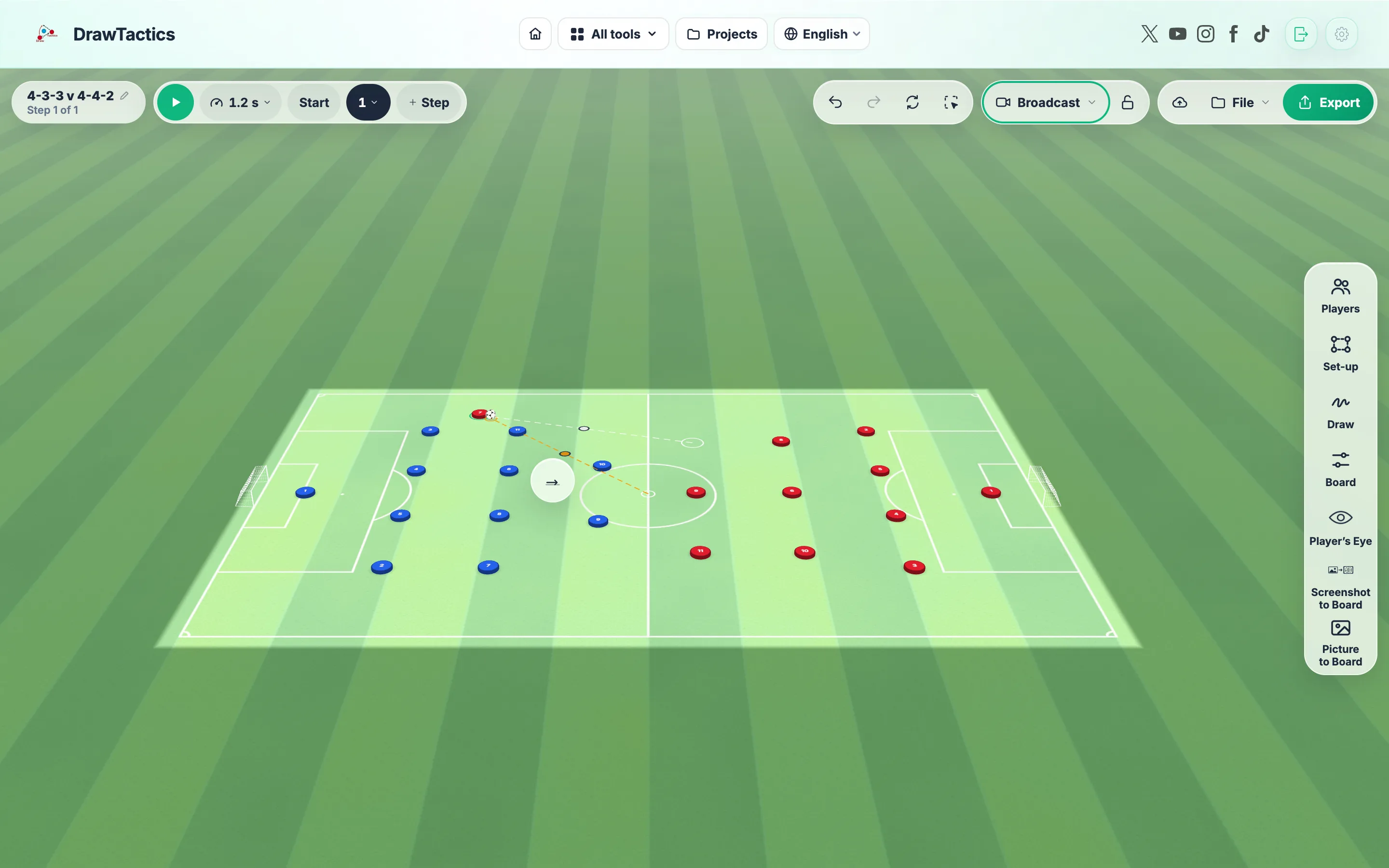
- Top bar (left): the board's name (click it to rename the board), Play, the playback speed, the steps and + Step.
- Top bar (right): Undo, Redo, Flip board, Select several, the Camera, Lock the view, Your projects (the cloud), File and Export.
- Rail (right): Players, Set-up (areas, lines and equipment), Draw, Board (the pitch's look, the stadium and playback), Player's Eye, Screenshot to Board and Picture to Board. Each opens a panel; the X or Esc closes it.
Make a move in steps
An animation is a list of steps. The board plays from one step to the next, moving the players and the ball between them.
- Set up the Start: where everyone is before the move.
- Press + Step. The new step starts with everyone where they were.
- Drag players and the ball to where they go.
- Add more steps the same way, then press Play (or Space).
More in Steps and playback.
Your board is kept
The board you're working on is kept in this browser. Small-sided and futsal boards are kept apart from full-size ones. To keep a board for good, save it to Your projects or a file: see Save, open and export.
The Classic Animator
The Classic Animator is the original animation board, a different tool with its own files. File › Open the Classic Animator opens it.
Something missing, wrong or unclear? Tell us and we'll fix it.