
Players, kits and squads
Add players, line teams up in formations, import a real squad, name and number players, and design each team's kit.
Open Players in the rail.
Add players
Choose Home or Away, press + Add home players (or away), and click the pitch for each player. Press Done when you have enough.
Or line a team up: pick a formation under Or line up the home team. It makes the team up to a full side for the pitch and puts them in place. The formations depend on the pitch:
| Pitch | Formations |
|---|---|
| Full size | 4-3-3, 4-4-2, 4-2-3-1, 3-5-2 |
| 9-a-side | 3-3-2, 3-2-3, 2-3-2-1, 3-4-1 |
| 8-a-side | 3-3-1, 2-3-2, 3-2-2, 2-4-1 |
| 7-a-side | 2-3-1, 3-2-1, 2-1-2-1, 3-1-2 |
| 5-a-side | 2-2, 1-2-1, 2-1-1, 3-1 |
| Futsal | 3-1, 2-2, 1-2-1, 4-0 |
Names and numbers
Home players on the pitch lists the team. Type a number (up to 3 letters or digits, such as GK or 9A) and a name; ↩ moves to the next player. Click a shirt to select that player on the pitch.
Show on players turns Numbers and Names on or off, and Names go puts names Above, On the shirt or Below the players.
You can also select a player and press their name or number to change it.
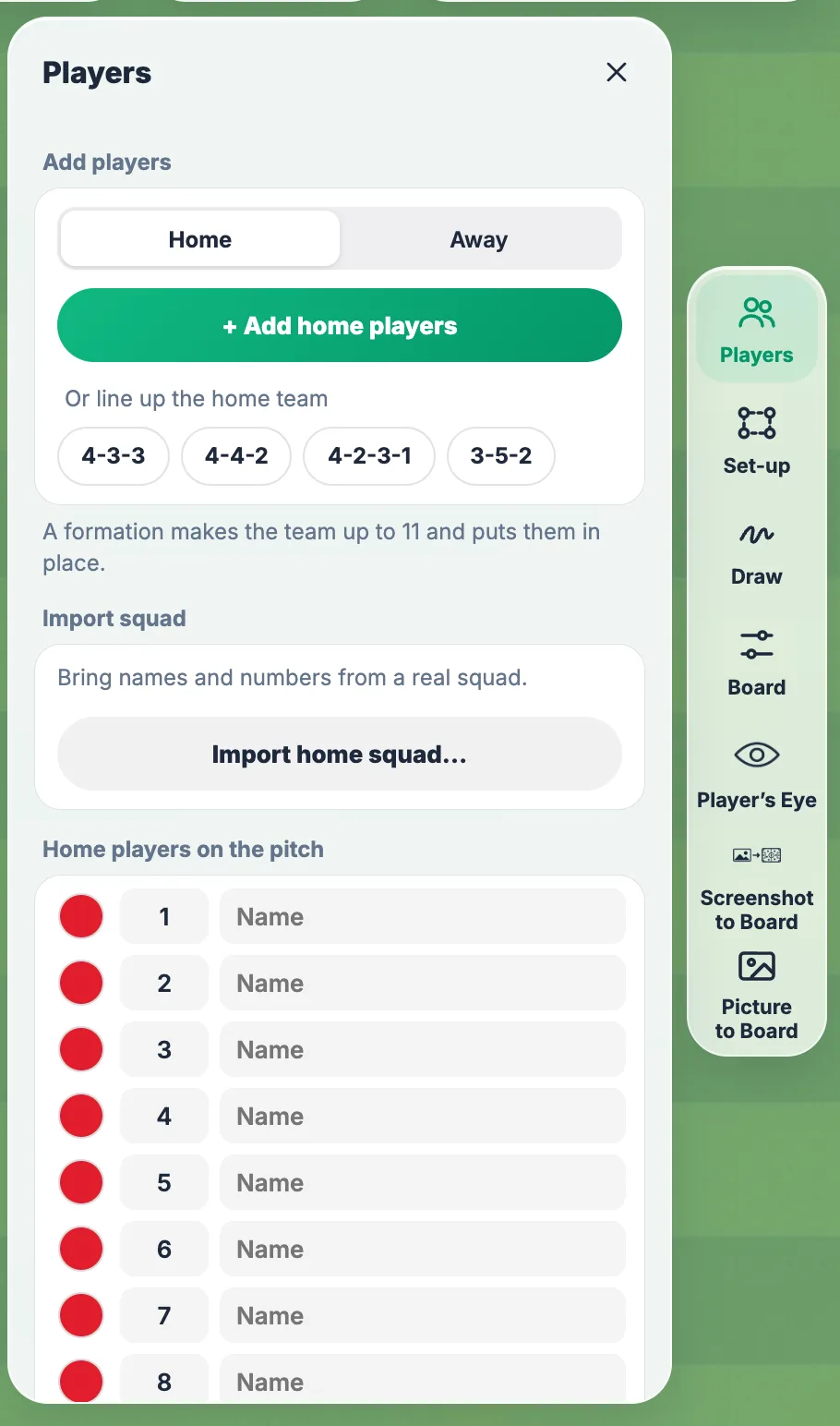
Import a squad
- Press Import home squad… (or away).
- Choose the League and Club. Your own squads are listed first, as Your squads. Search finds a name or a number.
- Click players to select them.
- Choose the Name format (Last name, Last name + first initial or Full name), whether to Import shirt numbers and Import kit colours, which Kit (home, or away if they clash), and the formation new players line up in.
- Press Import.
Your squads in the import window opens your own squads, with names, numbers, positions and kits. They're also at Your squads.
Kits
Under Kits, click a team's kit to change it:
- Ready-made: Red, Blue, White, Black, Red & white stripes, Navy & sky hoops, Green & white halves, Yellow & black stripes, Claret & sky rim, Black & white stripes, Orange bib or Yellow bib.
- Pattern: Solid, Stripes, Pinstripes, Hoops, Halves, Quarters, Sash, Centre stripe, Chevron or Contrast rim.
- Main colour and Second colour, Number colour, and the colours of the name tag.
- Keeper kit: turn it on and press Edit keeper kit ›. The number 1 wears it unless you choose otherwise.
Swap kits swaps the two teams' kits. If they look alike on the pitch, the panel says so and offers Change away kit.
One player
Select a player for their menu:
- Their name or number: change it.
- Kit: Team kit, Keeper kit or Custom… (a kit of their own; Use the team kit puts it back).
- Facing: where the player looks: Where they run, The ball, Another player… or A set direction. It shows when players show which way they face (Board › Players › Facing) or vision cones are on.
- Player's Eye: see the move through their eyes.
- Duplicate and delete.
Sizes and looks
Board › Players sets the players' Size, how they show which way they're facing (Facing: None, Figure, Bite or Arrow ahead) and Vision cones.
Something missing, wrong or unclear? Tell us and we'll fix it.