
Camera, pitch and stadium
Choose the camera, frame part of the pitch, lock the view, and set the pitch's look, the stadium, a logo on the grass, the ball and the players.
Cameras
The camera button in the top bar picks the view:
- Top: from above. Pitch orientation turns it Vertical or Horizontal.
- Broadcast: from the side, like a TV match. Follow the ball keeps the ball in view.
- Behind goal.
- Follow ball: close on the ball. Pitch in view sets how much of the pitch you see.
- Free: move it yourself. Drag to pan, right-drag to turn, scroll to zoom.
Framing (Top, Broadcast and Behind goal) shows the Full pitch, a Half, the Final third, or one of your areas. Height raises or lowers the Broadcast and Behind goal cameras.
Scrolling over the pitch zooms in any view. The camera you choose is the one your video uses.
Lock the view
Lock the view (or L) stops the view moving while you edit. Press it again to unlock.
Flip the board
Flip board turns the board round, so each team attacks the other goal.
The pitch
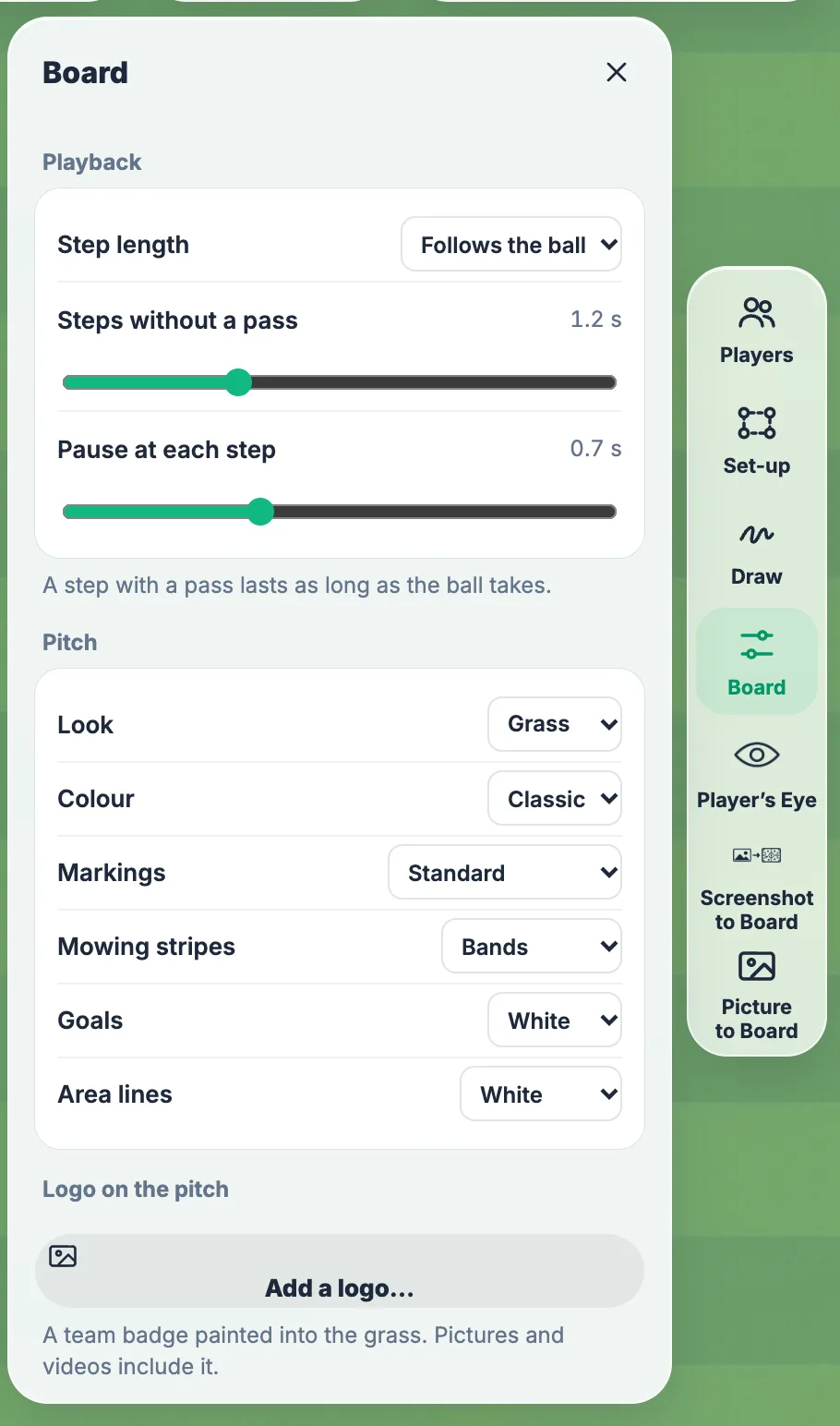
Open Board in the rail:
- Look: Grass (a rendered pitch) or Classic (flat colours).
- Colour: Classic, White, Stripes, Grey, Blue or Dark.
- Markings: Standard, Positional play, 18 zones, Horizontal thirds, Vertical fifths, Minimal or None on grass (fewer on Classic).
- Mowing stripes (grass): Bands, Lengthwise, Checker, Rings, Lanes or None.
- Goals: the colour of the goals. Area lines: White or Light grey.
A futsal court has Floor (Wood, Blue, Green, Orange or Grey), Markings and Goals instead.
A logo on the pitch
On grass, Add a logo… paints a team badge into the pitch (PNG, JPEG, WebP or SVG; a white background is taken out). Choose its Paint (Own colours, White paint or Mown), Size, Turn and Strength, and Move on the pitch. Pictures and videos include it.
The stadium
Show stadium puts stands round the pitch, with Time of day (Day or Night) and the colour of the Seats. There's no stadium on a futsal court, or with the Classic look on a full-size pitch.
The ball and players
- Ball: Model (1980s, 1970s or Stars), Colour (White, Yellow, Orange or Pink) and Size.
- Players: Size, Facing (None, Figure, Bite or Arrow ahead) and Vision cones.
- Drawing shine: a light that runs along arrows and shapes.
Keep your style
Use as my default makes new boards start with this style. Reset to DrawTactics default puts the original style back.
Something missing, wrong or unclear? Tell us and we'll fix it.