
Teams, formations and squads
Set each team's formation, add names and shirt numbers, choose kit colours, and import a real squad or one of your own.
The Teams drawer
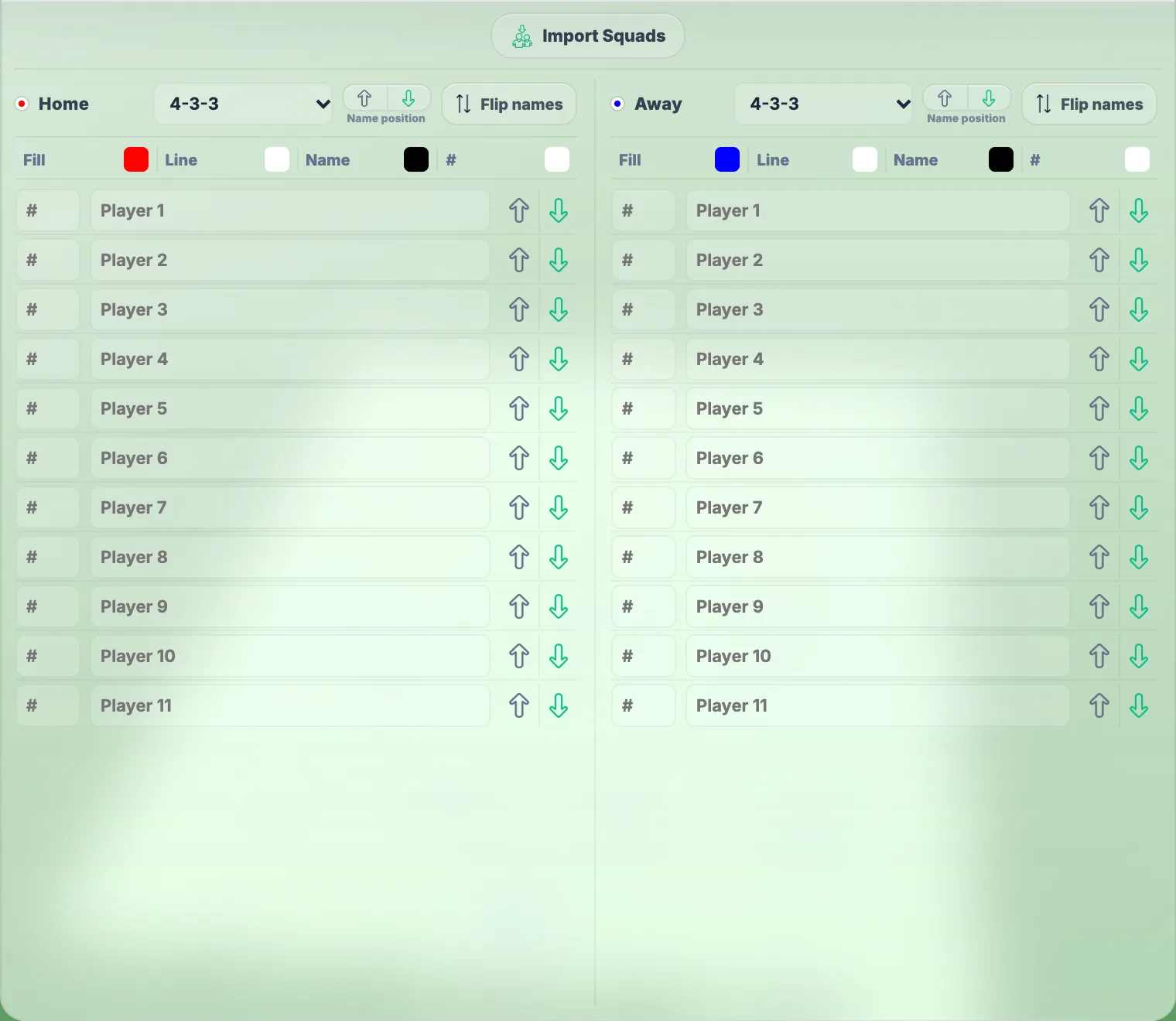
Press the Teams tab at the top of the board to open it. It has a card for each team, Home and Away.
Formations
Pick a formation at the top of a team's card and the team moves into it: 4-3-3, 4-4-2, 4-2-3-1, 4-1-2-3, 4-1-3-2, 4-1-2-1-2, 4-3-1-2, 4-3-2-1, 4-5-1, 3-5-2, 3-5-2 (Pivot), 3-4-3, 3-4-2-1, 3-2-4-1, 3-6-1, 4-1-4-1, 5-3-2, 5-4-1 or 5-2-3.
After that, drag players anywhere.
Names and shirt numbers
Each player has a row: type their shirt number in # and their name beside it. They show on the pitch as you type.
- Name position puts a team's names above or below the players. The arrows on a player's row do the same for that player.
- Flip names swaps the team's names and shirt numbers round.
Team colours
Each team card has four colours: Fill (the player), Line (their outline), Name and # (the shirt number). To change one player's colours, see Players, the ball and styles.
Import a squad
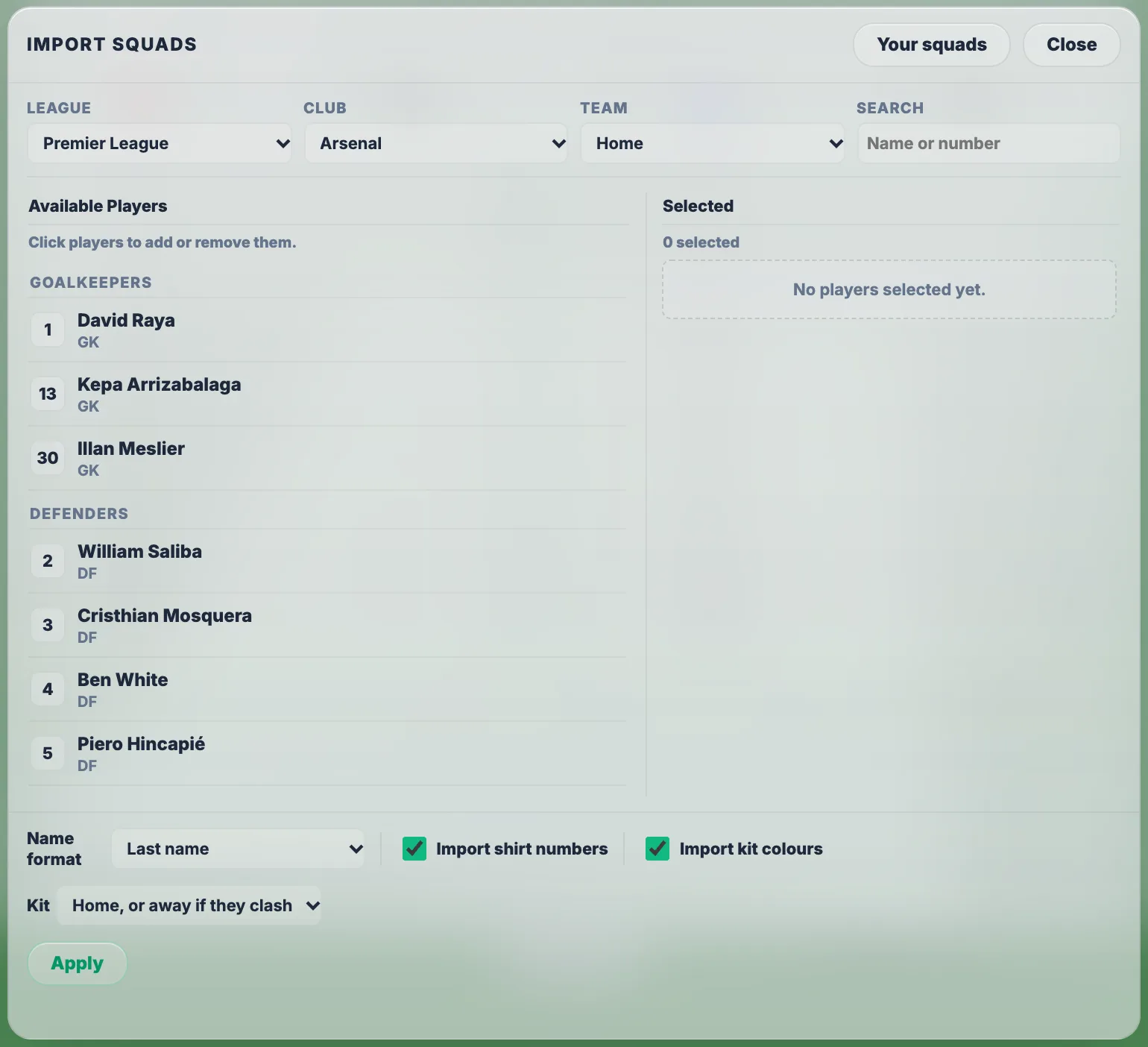
- Open the Teams drawer and press Import Squads.
- Choose a League and Club, and which Team (Home or Away) to fill. Your own squads are listed first, under Your squads.
- Click players in Available Players to add them to Selected (or click again to take them off). Search finds a name or a number.
- Choose the Name format (Last name, Last name + first initial or Full name), and whether to Import shirt numbers and Import kit colours. Kit picks the home or away kit, or the away kit only if it clashes.
- Press Apply.
The names and numbers go onto the team's players already on the board, so the team needs players first. A goalkeeper keeps a colour of their own.
Your squads
Your squads in the import window opens your own squads: names, shirt numbers, positions, who's available, and a kit with a colour and pattern. Squads you make there are listed first in Import Squads, and on every other board. The same editor is at Your squads.
Something missing, wrong or unclear? Tell us and we'll fix it.