
Players, the ball and styles
Add players and balls, choose how players and the ball look, change their sizes, and give one player colours of their own.
Add players and balls
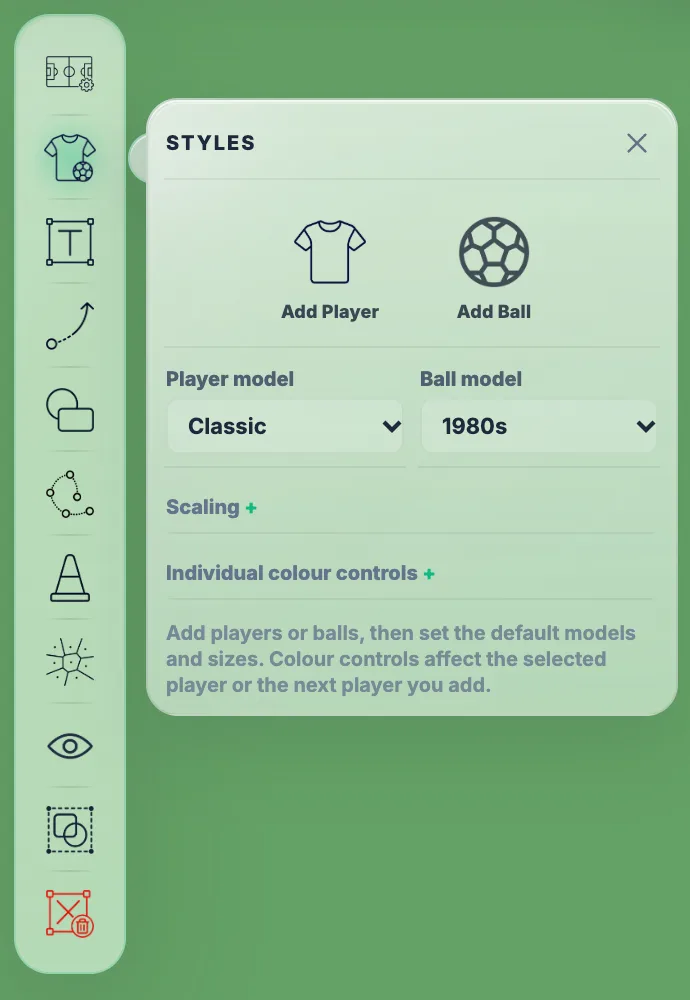
Open Styles in the tool rail:
- Add Player adds a player near the centre, to the team with fewer players.
- Add Ball adds another ball.
Drag them where you want them. To take one off, select it and press Delete selected (or ⌫).
Player model
Player model sets how players look: Classic (a disc), Curved Arms, Feet, Front Arrow, Pacman or Crescent. It changes the selected players, or every player when none is selected.
Models other than Classic show which way the player faces. Select one and drag its turn handle to turn them.
Ball model
Ball model: 1980s, 1970s or Stars. It changes the selected ball, or the ball when there's only one.
Sizes
Scaling sets Player scale, Ball scale, Name scale, Number scale and Name distance (how far the name sits from the player).
One player's colours
Individual colour controls set Fill, Outline, Name and Number for the selected players. With nothing selected, they set the colours of the next player you add. For a whole team's colours, use the Teams drawer.
Something missing, wrong or unclear? Tell us and we'll fix it.