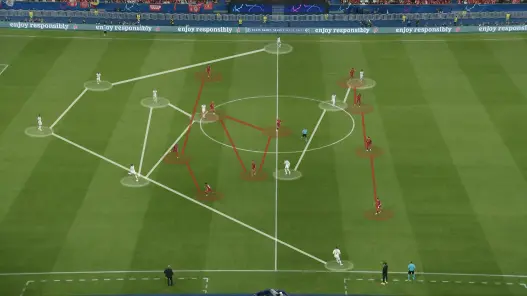
A single frame from a match contains more tactical information than a whiteboard full of diagrams. The positioning of the back four, the spacing between midfield lines, the pressing trigger that forced the turnover. But a raw screenshot shows everything at once, which means it shows nothing clearly. You need a football screenshot annotation tool that isolates what matters and removes the clutter.
DrawTactics Screenshot Annotator lets you upload match images, draw arrows and shapes, add text, and export clean PNG files for presentations or social media. For analysts who need more, the Screenshot-to-Board Mapper uses AI to detect players and map their positions onto a 2D tactical pitch. Both tools run in the browser. The annotator is included in the £5.99 per month plan. For analysing video footage with timed freeze frames rather than static images, see the football video analysis tool.
The Problem with Raw Screenshots
Analysts and coaches collect screenshots constantly. A freeze-frame from a broadcast, a capture from analysis software, a photo from the stand. Each image holds insight: a defensive block shape, a passing option missed, a pressing trap executed. But sharing the raw image wastes that insight.
Players receive a screenshot and see twenty-two dots on grass. They cannot identify the defensive midfielder who should have dropped, the space that opened between centre-backs, the run that broke the offside trap. Without annotation, the tactical point is lost.
Generic image editors add friction. Opening Photoshop or GIMP for a quick circle and arrow takes minutes. The tools are not designed for football: no standard player markers, no telestration-style arrows, no quick export for WhatsApp. By the time the annotation is done, the coaching moment has passed.
Screenshot Annotation Features
Upload and Canvas
Upload any image format: PNG, JPG, or WebP. The screenshot loads on a canvas with zoom and pan controls. Navigate large images precisely, then annotate at the exact pixel location.
Drawing Tools
Arrows: Draw straight or curved arrows to show movement, passing lanes, or pressing directions. Adjust colour and thickness for visibility against different backgrounds. Curved arrows suit player runs; straight arrows suit ball movement.
Shapes: Create circles and rectangles to highlight zones, mark areas to exploit, or identify players. Adjust opacity so the underlying pitch and players remain visible. A semi-transparent circle over a centre-back shows his position without obscuring his body shape.
Telestration: Freehand drawing for custom emphasis. Circle a specific player, underline a gap, scribble over a mistake. The telestration tool works like a digital marker on a screen.
Text Annotation
Add text boxes with font sizes from 12px to 72px. Label players by name or number, add brief coaching points, or timestamp the match minute. Position text to avoid obscuring key action. Change colour for contrast against grass, kits, or stands.
Export
Export annotated screenshots as PNG files. The export preserves resolution and quality, suitable for printing, projection, or social media. No watermarks. No forced branding. Your analysis stands on its own.
AI-Powered Screenshot-to-Board Mapping
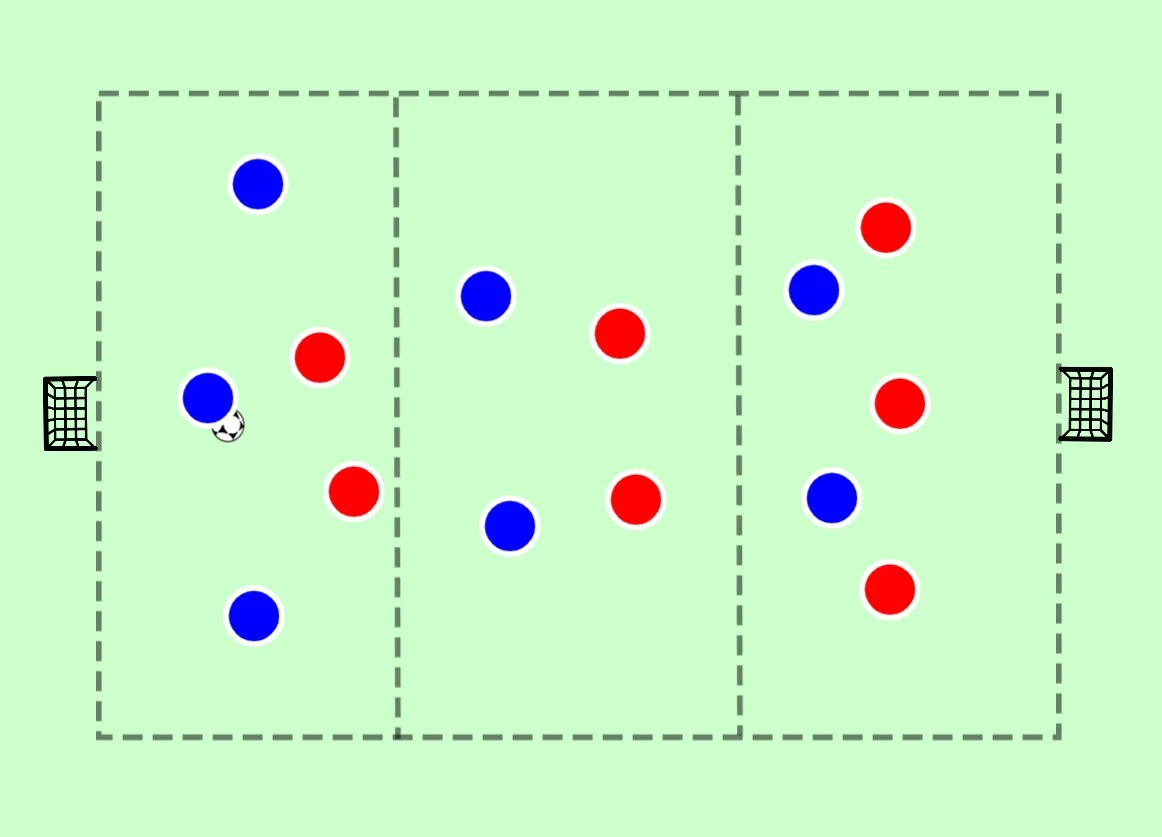
The Screenshot-to-Board Mapper extends annotation into reconstruction. Upload a match screenshot and the AI detects players, classifies them by shirt colour, and maps their positions onto a clean 2D pitch diagram.
How It Works
The tool analyzes screenshots directly in your browser. Your image never uploads to a server. The AI identifies player positions, distinguishes teams by kit colour, and places markers on a tactical pitch.
Review the detection results. Add missing players manually. Remove false positives. Adjust positions where the AI misjudged depth. The bulk of the work happens automatically; you refine the output.
Once mapped, the positions open in the DrawTactics tactics board. Add arrows to show movement. Build animations from the mapped positions. Export the diagram as a standalone image or the animation as a video.
Use Cases for AI Mapping
Opposition scouting: Screenshot an opponent's defensive shape from broadcast footage. Map to 2D. Identify patterns: how the midfield four shifts, when the full-backs push, where the space opens. Build training exercises that replicate these patterns.
Set piece analysis: Capture the opponent's corner defensive setup. Map to 2D. Analyse marking assignments, zonal coverage, and vulnerabilities. Design your attacking routines to exploit what you see.
Post-match review: Photograph your team's shape from the stand. Map to 2D the next day. Compare actual positioning to intended positioning. Show players exactly where they stood versus where they should have stood.
Screenshot vs Video Annotation
DrawTactics offers two annotation workflows. Screenshot Annotator handles static images. Video Analysis handles footage with timed freeze frames.
Use screenshots for:
- Formation analysis (defensive block shape, attacking structure)
- Set piece planning (corner routines, free kick walls)
- Single-moment breakdowns (the tackle, the missed pass, the goal)
- Social media graphics (tactical diagrams, player highlights)
Use video analysis for:
- Dynamic sequences (pressing traps, build-up patterns, transitions)
- Movement analysis (player runs, passing sequences, defensive shifts)
- Temporal patterns (how shape changes over ten seconds of play)
Screenshot annotation is faster for single moments. Video analysis is necessary for movement. Both export professional visuals. Both cost £5.99 per month.
Use Cases for Screenshot Annotation
For Coaches: Session Planning and Player Feedback
Build session plans from real match moments. Screenshot your team's defensive block against an opponent's attack. Circle the midfielder who failed to screen. Draw an arrow showing where he should have been. Export and print for the training ground. Players see the actual match context, not a theoretical diagram.
Provide individual feedback via WhatsApp. Screenshot the moment a full-back was caught out of position. Add an arrow showing the recovery run needed. Send the image after the match. The player reviews on his own time with clarity impossible from verbal description alone.
For Analysts: Scouting and Presentation Graphics
Create opposition scouting reports with annotated screenshots. Highlight key players, mark danger zones, illustrate pressing triggers. The PNG exports drop straight into PowerPoint or PDF reports. Clean, professional, specific.
Use AI mapping to accelerate analysis. A screenshot from broadcast footage becomes a 2D tactical diagram in seconds. Build a library of opponent patterns without manually tracing positions. Present findings to coaching staff with both the raw screenshot and the reconstructed diagram. Once mapped, you can build formations and animate movements using the online tactics board.
For Content Creators: Social Media Graphics
Football content thrives on visual clarity. An annotated screenshot stands out in a feed of raw clips. Circle the player who made the difference. Arrow the pass that broke the line. Add text that explains why it mattered.
The 12px to 72px font range accommodates everything from player labels to headline text. Adjust opacity so graphics overlay the action without obscuring it. Export PNG and post to Twitter, Instagram, or your newsletter.
AI mapping adds another layer. Show the raw screenshot alongside the reconstructed 2D diagram. Audiences appreciate both the authenticity of the match image and the clarity of the tactical diagram.
Visualising with DrawTactics
Turning screenshots into insight requires the right tools. DrawTactics Screenshot Annotator provides those tools in a browser-based workflow.
Upload a match screenshot from last weekend. Zoom to the defensive third. Draw a circle around the space between centre-backs. Add an arrow from the opposition striker running into that space. Type: "Channel run, no cover." Export the PNG and include it in your Tuesday team meeting deck.
For deeper analysis, run the Screenshot-to-Board Mapper. The AI detects players and maps positions. Review the output, adjust any errors, and open the result on the tactics board. Now you have a clean 2D diagram derived from real match footage. Add animations showing alternative positioning. Export the video and compare options.
Screenshot annotation bridges the gap between watching matches and coaching from them. Raw images become teaching tools. Complex patterns become clear diagrams. Analysis becomes action.
Conclusion
Match screenshots contain tactical gold, but raw images bury it. A football screenshot annotation tool uncovers that value by isolating what matters: the player out of position, the space to exploit, the pattern to replicate.
DrawTactics offers two screenshot workflows. The Screenshot Annotator adds arrows, shapes, and text to any image. The Screenshot-to-Board Mapper uses AI to reconstruct 2D tactical diagrams from match footage. Both run in the browser. Both export professional PNG files. The full toolkit costs £5.99 per month.
Coaches get clearer player communication. Analysts get faster scouting and reporting. Content creators get standout social media graphics. Screenshot annotation turns match watching into match understanding.
Start Annotating Your Screenshots
Upload match screenshots, add arrows and shapes, and export clean PNG files for presentations or social media. £5.99 per month includes the Screenshot Annotator, AI-powered Screenshot-to-Board Mapper, and all other DrawTactics tools.
Get Started →