Most tactical sessions still start the same way: a coach kneels in front of a whiteboard, marker in hand, trying to explain a back-four shuffle or a set-piece routine to twenty players. The diagram works for those standing close enough to see it. By the time the board is photographed and shared on WhatsApp, the lines have smudged and the spacing means nothing.
An online soccer tactics board solves this. It gives coaches a digital canvas where formations are precise, movements are animated, and every session plan can be exported as a clean image or video. DrawTactics runs in a web browser on a computer or tablet, with nothing to install, and there is also a desktop app for Mac and Windows (Windows beta). One membership (£5.99 per month or £47.99 per year) covers both, so coaches, analysts, and content creators get a full toolkit for building and sharing tactical ideas.
What Coaches Actually Need from a Tactics Board
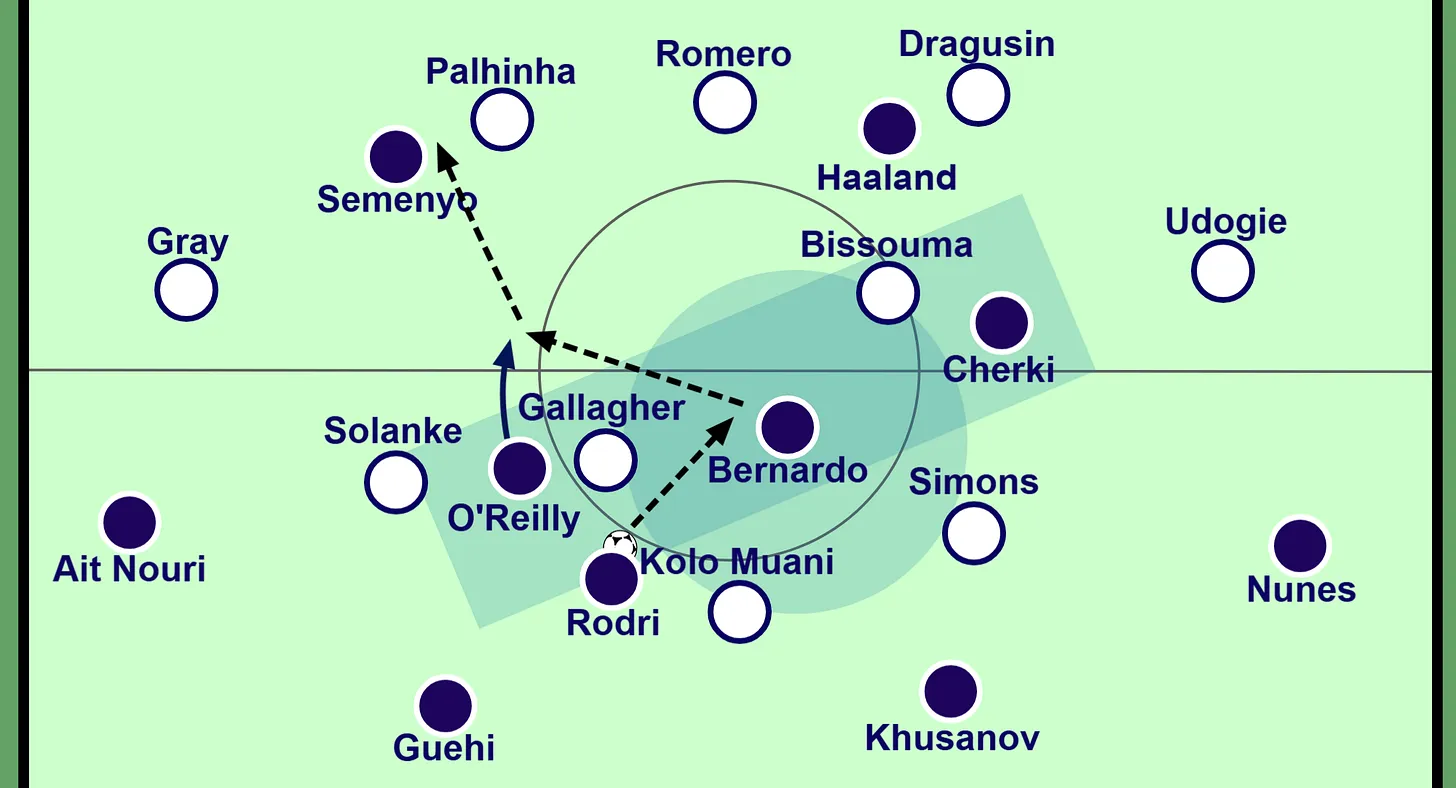
A tactics board is not a drawing toy. It is a communication tool. The best boards do three things well: they let you build formations quickly, they help you show movement rather than static positions, and they let you export work that looks professional enough to present to players or post online.
Static diagrams have a hard ceiling. You can show where a full-back starts, but you cannot show when to make the overlapping run, or how the winger should drift inside to create the passing lane. Player understanding improves when they see the sequence unfold. Video and animation close the gap between the coach's idea and the player's execution.
Analysts face a related problem. Match screenshots contain valuable information, but annotating them with PowerPoint or generic image editors takes too long. A dedicated board should let you upload a screenshot, draw telestration-style arrows, and map those positions to a 2D pitch without manual tracing.
Is There a DrawTactics App?
Yes, in two forms, and one membership covers both. The online tactics board runs in a modern web browser on a computer or tablet, with nothing to install. Log in from the club laptop, the analysis room PC, or a tablet on the touchline, and your saved boards are there.
There is also a desktop app for Mac and Windows (Windows beta). It includes the board and drawing tools, Animation Studio, and desktop video analysis for drawing on match footage, tracking selected players, and exporting annotated MP4 clips. Desktop video analysis is currently in beta. There is no phone app.
Whichever you use, what you share is a clean PNG, MP4, or WebM file that opens on any device without specialist tactics software. Other boards coaches compare, such as TacticalPad and easy2coach, take different approaches, from mobile apps to free browser boards, so pick the one that fits how you plan and present.
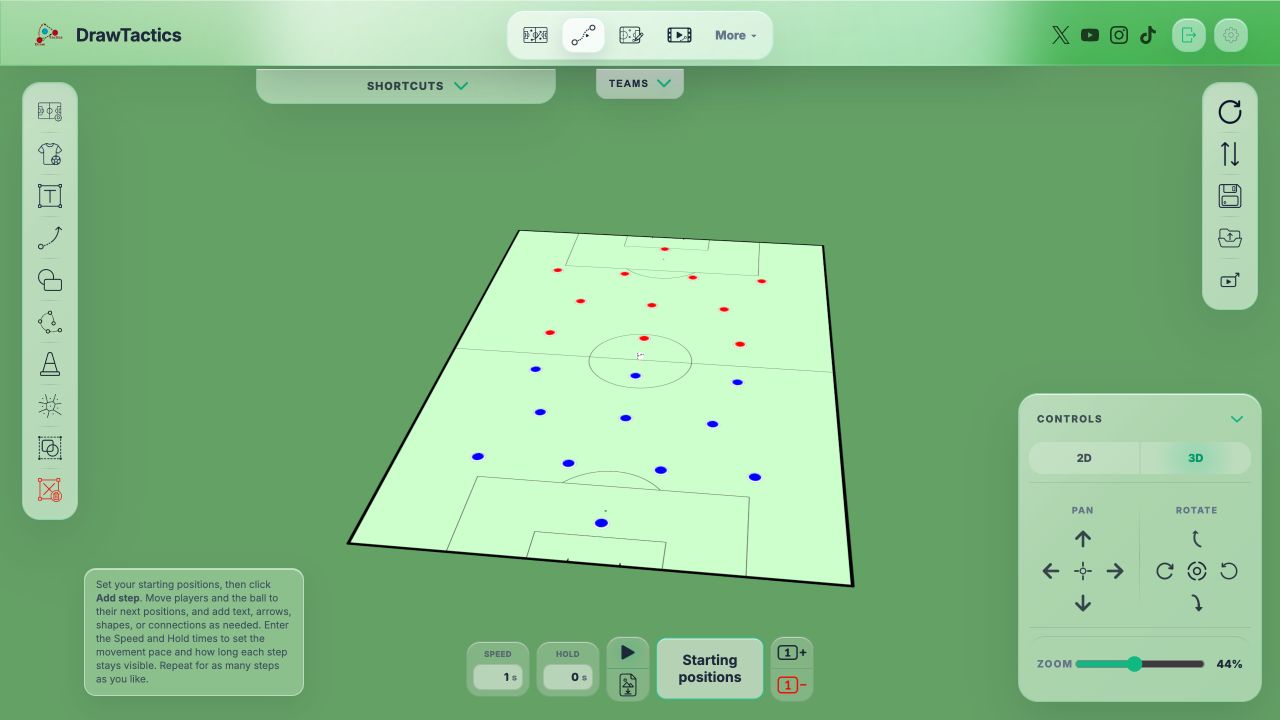
DrawTactics keeps the entire workflow in one place. You build a formation on the 2D or 3D board, turn it into a step-based sequence in Animation Studio, annotate a match screenshot with the screenshot annotation tool, and export the final video for a team meeting or a YouTube video. There is no need to jump between After Effects, PowerPoint, and a separate tactics app.
Key Features That Matter
Step-Based Animation
DrawTactics uses a step-based animation workflow rather than a traditional keyframe editor. Set the starting positions, add a step, move the players and ball into the next phase, and repeat. The software animates the transition while you control the movement speed and the hold between steps.
You can also add text, arrows, shapes, and connections to one step or every step, then reveal them during playback with the Draw on option. See the complete guide to making a football animation for coaching for a worked example.
Screenshot Annotation and AI Mapping
The Screenshot Annotator lets you upload a match image and draw circles, arrows, and text directly on it. Font sizes range from 12px to 72px, so you can label a single player or add a headline to a graphic.
The Screenshot-to-Board Mapper goes further. It analyzes screenshots directly in your browser. The AI detects players in the screenshot, classifies them by shirt colour, and maps their positions onto a 2D pitch. You can correct any errors manually, but the bulk of the work happens automatically. Your images never leave your device.
Export Formats
Finished work exports as PNG for still images or MP4 and WebM for animations. You can crop the pitch, choose 720p or 1080p, and export at 30 or 60fps. Animation, screenshot annotation, and AI mapping are included with a paid DrawTactics membership.
Visualising with DrawTactics
Teaching tactics is easier when players can see the idea before they step onto the pitch. DrawTactics provides the visual tools to make that happen.
Build your base formation by dragging players into position. Use solid, dashed, or dotted arrows to show passing options or defensive pressing triggers. Add shapes with adjustable opacity to highlight zones or mark areas to avoid. Name and number every player so there is no confusion about roles.
Once the static diagram is ready, switch to Animation Studio and add the next step. Show how the midfield four shifts as a unit when the ball moves wide, or demonstrate an offside trap by moving the back four into the next position together. Export the sequence as an MP4 or WebM video and play it on a tablet during the team talk.
For analysts, the screenshot workflow fits directly into match-day preparation. Upload a frame from the weekend's fixture, annotate with the football screenshot annotation tool, map it to the 2D board, and build a training exercise that replicates the same structure. Everything stays in one browser tab.
Conclusion
The shift from whiteboard to online tactics board is not about novelty. It is about clarity. Coaches who can show movement, not just positions, get better comprehension from their players. Analysts who can turn screenshots into structured diagrams work faster. Content creators who can export clean video have an easier time building an audience.
DrawTactics offers a browser-based online soccer tactics board with 2D and 3D views, step-based animation, screenshot annotation, and AI-powered mapping. It costs £5.99 per month. There is no installation, no steep learning curve, and no need for separate video editing software.
Try the Best Online Soccer Tactics Board
Start creating professional tactical diagrams and animations today. DrawTactics runs in your browser with no installation required.
Get Started →