
Manage your membership
See your plan and next payment, update your card and download invoices, cancel, and get help with your account.
Open Manage membership
Press Membership at the top of Your tools, or go to drawtactics.com/manage-membership. Sign in first if you're asked.
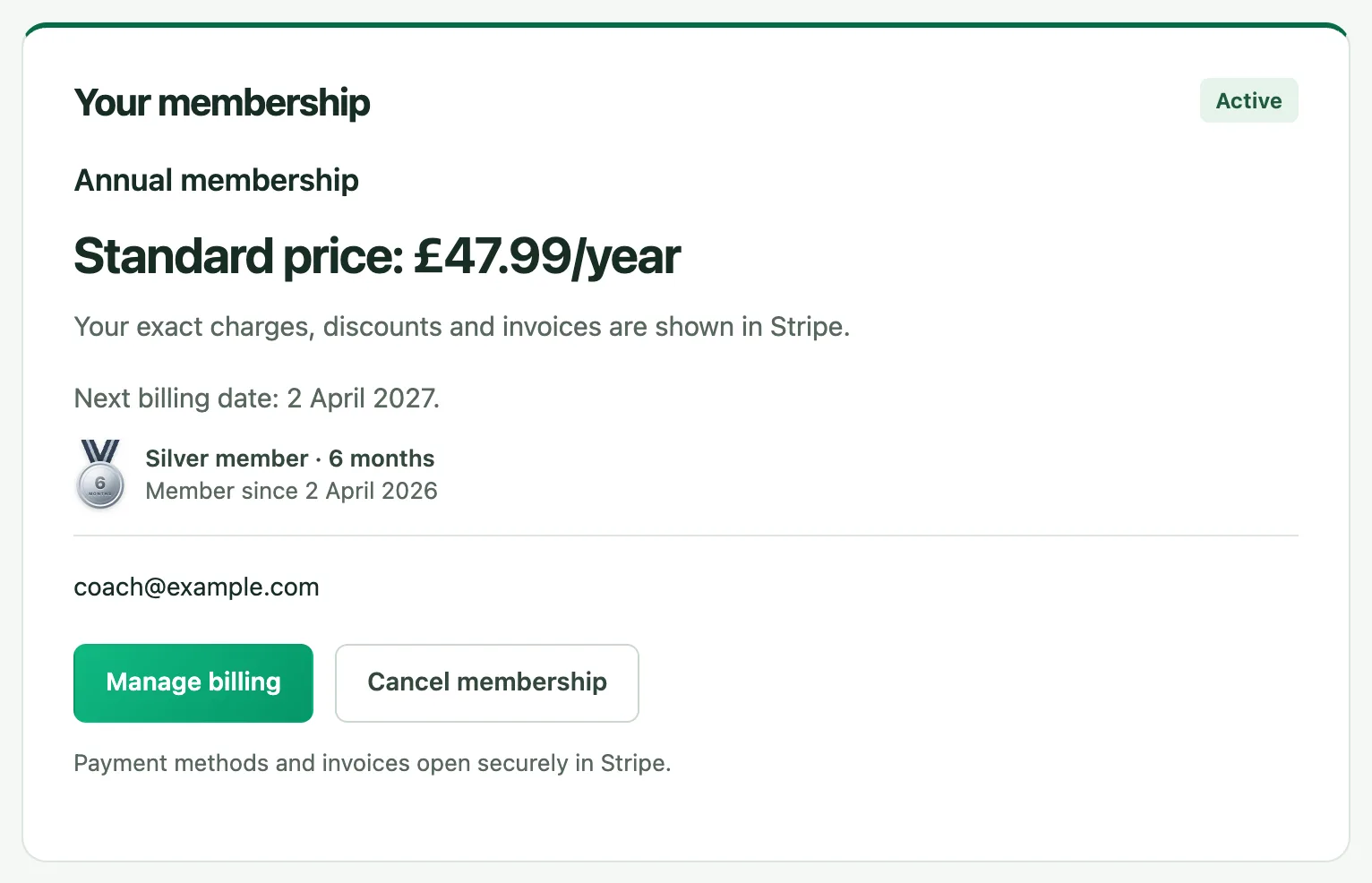
Your membership shows:
- your plan, Monthly membership or Annual membership, and its status: Active, Payment needed, or Cancellation scheduled;
- the plan's standard price, and your next billing date (or the date your membership ends);
- how long you've been a member, with a medal (below);
- the email address of your account.
Payments and invoices
Manage billing opens Stripe, which handles DrawTactics payments. Sign in there with your membership's email address to:
- change the card you pay with;
- see and download your invoices and receipts;
- see your exact charges and any discount.
If a payment fails, the status says Payment needed. Update your card under Manage billing to keep your membership going.
Cancel your membership
- Press Cancel membership.
- Choose a reason, add anything else you'd like us to know, and press Continue.
- We may be able to help: Send message to DrawTactics asks us, and leaves your membership as it is. To go on, press Continue to cancellation.
- Press Open billing portal to cancel. In Stripe, sign in with your membership's email address, choose your subscription, then Cancel subscription, and confirm.
When you come back to Manage membership, it checks your membership again and says Cancellation scheduled, with the date it ends. You keep everything until then, and you aren't charged again.
When a membership ends
- Your projects aren't deleted. You can still see them in Your projects, download them and delete them, but changes don't save to your account any more. See Find and open your projects.
- The members' tools lock again. The free tools keep working.
- Becoming a member again picks up where you left off, with the same projects.
Member medals
Manage membership shows the date you became a member and a medal for how long you've been one:
| Medal | When |
|---|---|
| Bronze | 3 months |
| Silver | 6 months |
| Gold | a year, then numbered for each year |
| Founding member | joined before February 2026 |
The time counts every month you've paid for, over all your memberships, so a break doesn't start it again.
Help with your account
Need a hand?, at the bottom of Manage membership, sends us a message: choose Help with my membership, Report a bug, Request a new feature or Ask a question. We reply by email. You can also email jm@drawtactics.com.
Write to us there to switch between monthly and yearly, change your account's email address, or delete your account.
Something missing, wrong or unclear? Tell us and we'll fix it.