
Sign up and sign in
Make a DrawTactics account and become a member, sign in on another computer, reset your password, and choose the language the tools use.
A DrawTactics membership unlocks every tool: Video Analysis, the Screenshot Annotator, the Tactics Board, the Animators, the Screenshot Mapper, Player's Eye, the Session Planner, the xG Shot Map, Your squads and Your projects. They run in your browser on a computer or tablet.
The free tools, such as the free session planner and the Lineup Builder, don't need a membership.
Become a member
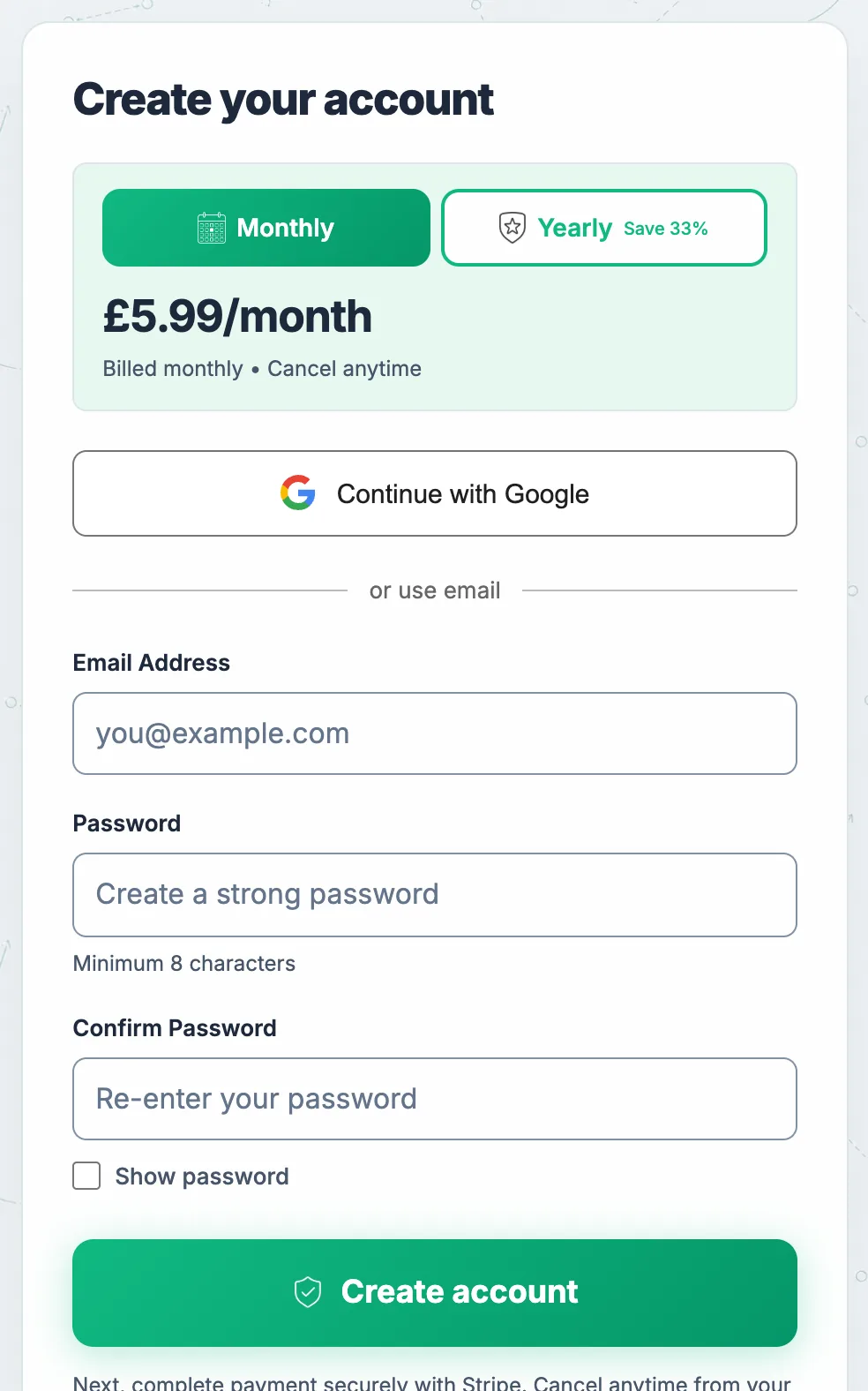
- Go to Sign up.
- Choose Monthly (£5.99 a month) or Yearly (£47.99 a year, which works out at £4.00 a month and saves 33%).
- Press Continue with Google, or type your Email Address and a password of at least 8 characters, twice, and press Create account.
- If you're asked to, open the email we send, confirm your address, then sign in to carry on.
- Pay with Stripe. If you have a discount code, enter it on the payment page.
Once you've paid, you're taken to Your tools, and every tool is unlocked.
Prices are in pounds sterling. Your bank converts them if your card is in another currency.
Sign in
On a new computer or tablet, go to Sign in and use Continue with Google or your email and password, whichever you signed up with.
Keep me signed in is ticked to begin with, so the browser remembers you. Untick it on a computer you share. To sign out, press Sign out at the top of Your tools.
If you sign in with an account that has no membership, for example one made in a free tool, the page says you're signed in with a free account, with the two plans to choose from and links to the free tools.
Forgotten your password
- On Sign in, type your email address.
- Press Forgot password?. We send you an email with a link.
- Open the link, type a new password of at least 8 characters twice, and press Update password.
If you signed up with Google, just use Continue with Google.
Choose your language
The tools are in 17 languages: English, French, German, Spanish, Italian, Portuguese (Portugal and Brazil), Dutch, Polish, Swedish, Turkish, Japanese, Korean, Traditional Chinese, Vietnamese, Indonesian and Arabic.
They start in your browser's language when it's one of these, and English otherwise. To change it, use the language list next to All tools at the top of any tool. The page reloads in the new language, so it asks first: save anything you want to keep. The choice is remembered on that browser, for every tool.
Something missing, wrong or unclear? Tell us and we'll fix it.