
Find and open your projects
Where your saved boards, animations, analyses, sessions and shot maps are listed, and how to find one and open it.
Your projects lists everything you've saved to your DrawTactics account: boards, animations, video analyses, screenshot projects, training sessions, drills and shot maps. They're saved to your account, not to one computer, so they open on any computer or tablet you sign in on.
Open it from Your projects in the header of every tool, or go to drawtactics.com/projects. Your newest few are also shown on Your tools, with Open Your projects → for the rest.
How projects get here
You don't have to upload anything. The tools save to Your projects as you work, and the project shows up here straight away. See How saving works.
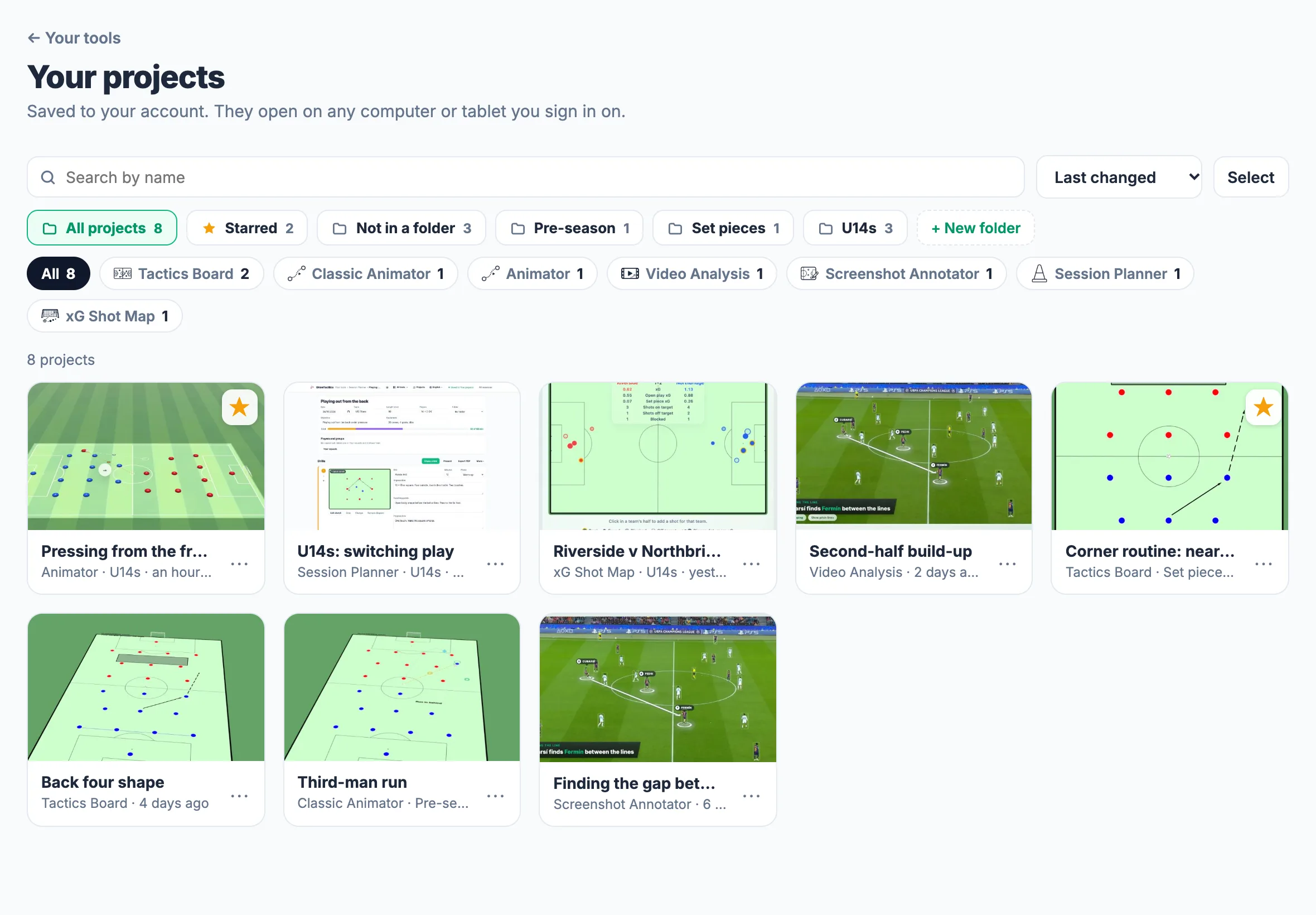
Each card shows a picture of the project, its name, the tool it was made in, its folder, and when it last changed.
Open a project
Click a card. The project opens in the tool that made it, ready to carry on. If that tool already has a project open, its changes are saved first.
A card's ⋯ button has Open too, with the other things you can do to a project. See Folders, stars and tidying up.
Find a project
- Search by name finds projects by their name as you type. Press / to jump to it.
- The filters under it (All, then one for each tool you've used, with how many) show one tool's projects.
- The list beside the search sorts them: Last changed (the default), Newest first, Oldest changed or Name A–Z.
- The folders above them show one folder's projects, or your Starred ones. See Folders, stars and tidying up.
What you've chosen stays in the page's address, so when you open a project and come back, the list is as you left it.
What it needs
Saving to Your projects is part of a DrawTactics membership. You need to be signed in to see the page; signed out, it asks you to sign in.
If your membership ends, your projects aren't deleted. You can still see them here, download them and delete them, but changes no longer save to your account.
Something missing, wrong or unclear? Tell us and we'll fix it.