
Plan a session
A session's details, its drills and their notes, timing, order and phases.
The session's details
At the top of a session:
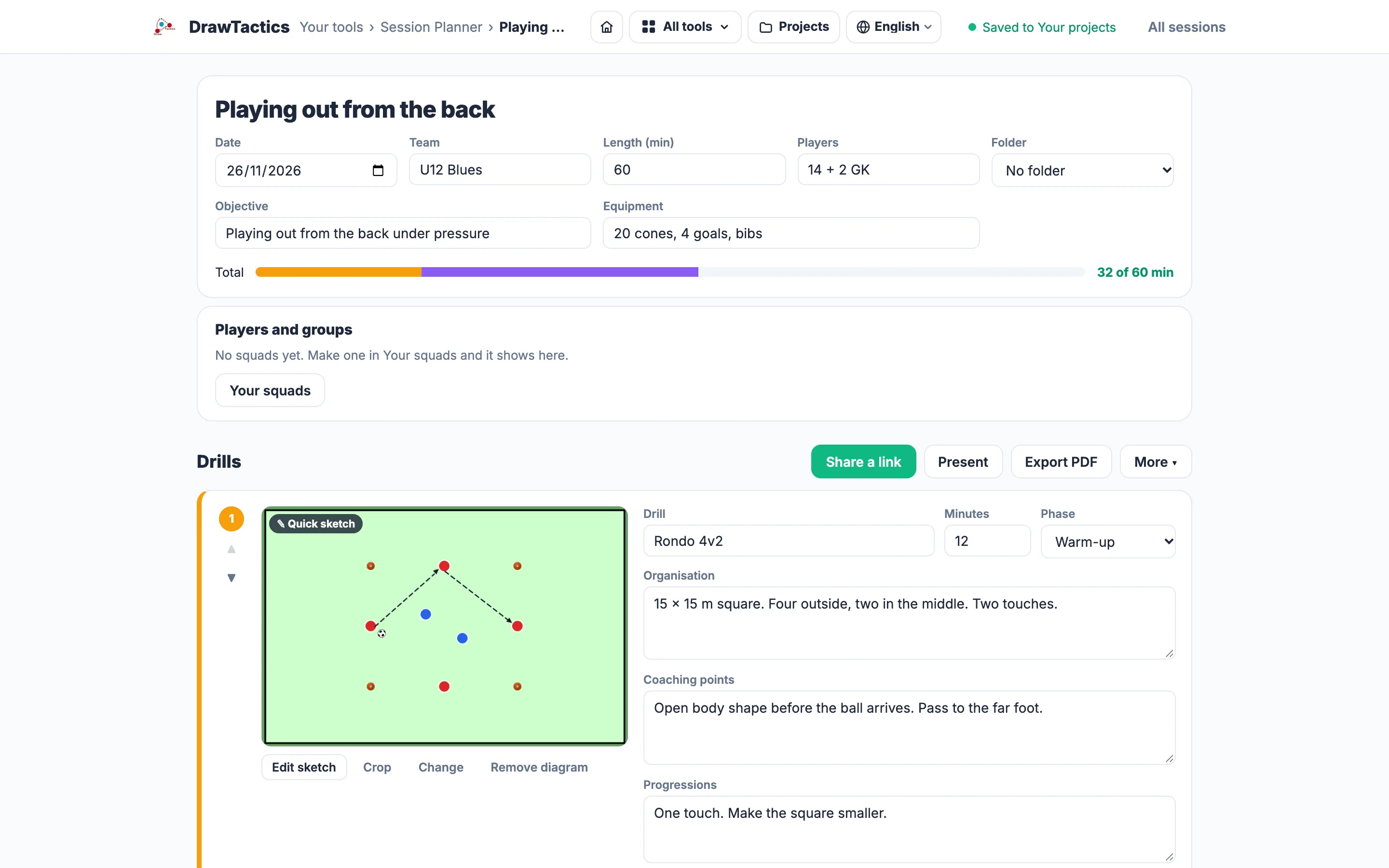
- Session title: the name it has in your list and on the printout.
- Date: the day you'll run it. It puts the session in This week or Upcoming in your list, and on its day in the Week.
- Team, Length (min), Players and Equipment: what you need to know on the day.
- Folder: which folder it's in.
- Objective: what the session is for.
Total adds up the drills' minutes and shows them against the session's length (72 of 75 min), so you can see when the plan runs over.
Drills
A drill is one part of the session. Press + Add drill and choose how to make its diagram, or Notes only for a drill without one. See Drill diagrams.
Each drill has:
- Drill: its name.
- Minutes: how long it lasts. These add up to the session's Total.
- Phase: Warm-up, Technical, Opposed, Game or Cool-down. Each phase has its own colour, on the drill and in the printout's timeline.
- Organisation: how it's set up.
- Coaching points: what to look for and say.
- Progressions: how to make it harder or easier.
Order, copy and remove
- ▲ (Move up) and ▼ (Move down), beside a drill's number, move it in the session.
- Duplicate adds a copy of the drill under it.
- Remove takes the drill out of the session. Its board or animation stays in Your projects.
- Save to Your drills keeps a copy of the drill to add to other sessions. See Your drills.
Copy a whole session
More › Duplicate session (or Duplicate on the session's row in your list) makes a copy with the same drills and notes, in the same folder, with no date yet. It asks for the copy's name first, and the copy opens straight away. Its drills keep their links to your boards and animations.
Something missing, wrong or unclear? Tell us and we'll fix it.