Build formations and drills with players, equipment, and drawing tools. Present your ideas in 2D or 3D.
Get StartedTactics Board on web. Diagram and animation tools in desktop Animation Studio.
All included in your DrawTactics membership.
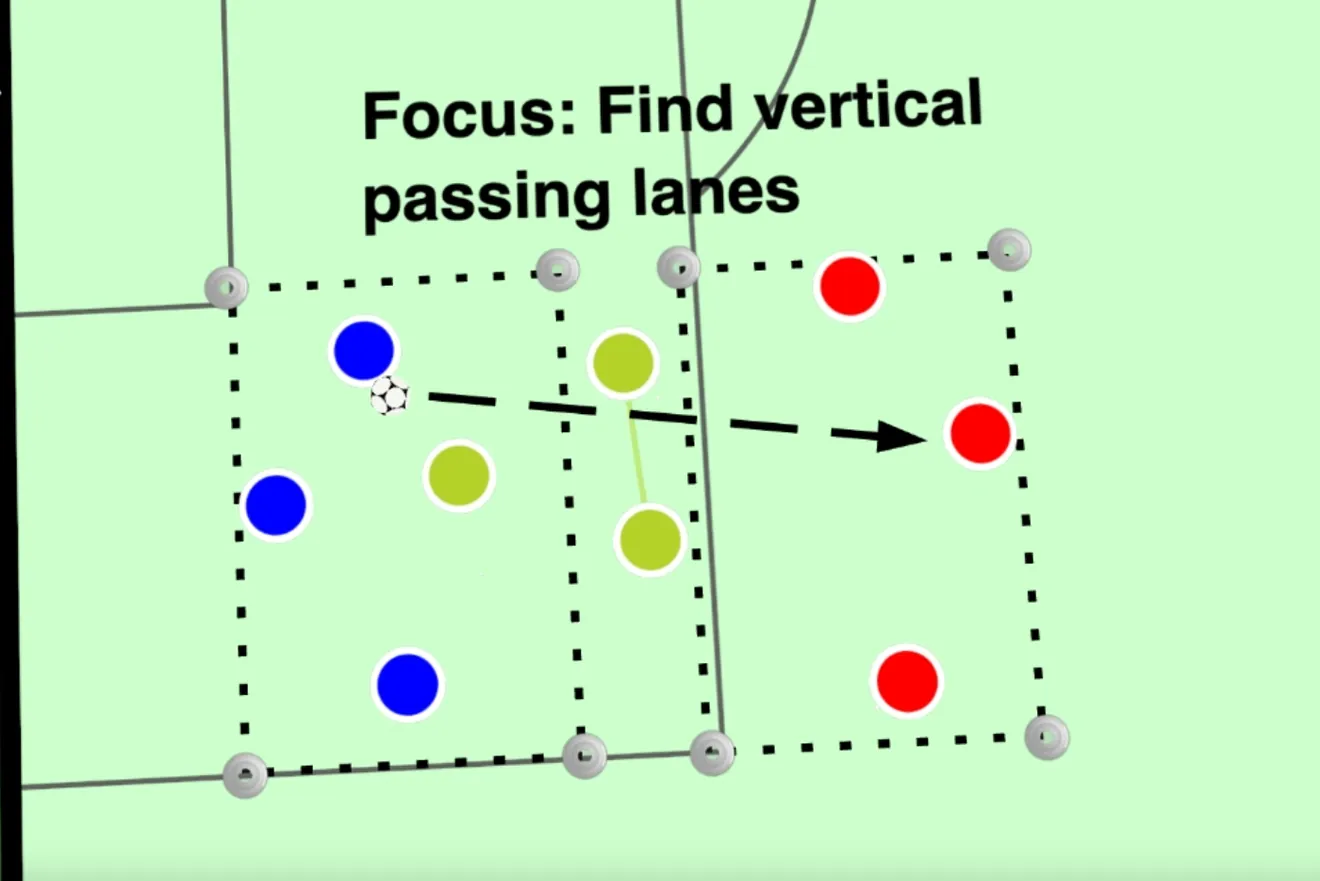
Set up a passing practice, rondo, or finishing drill with players, cones, goals, and mannequins. Add movement arrows and coaching notes so your players can see the setup and understand their roles before the practice begins.
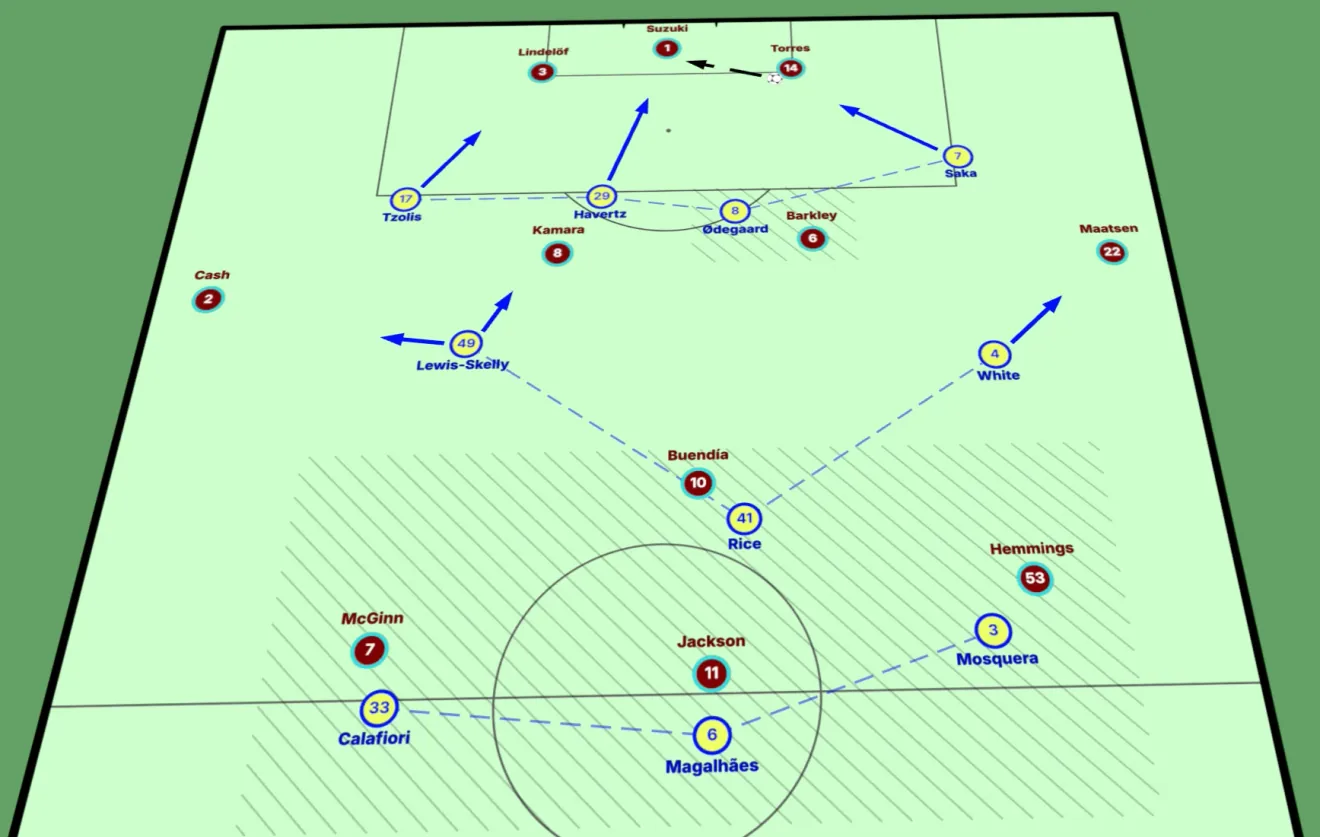
Start with a formation preset or arrange your own team shape. Adjust player positions, names, numbers, and colours to explain your match plan, defensive organisation, or the opposition setup.
Connect a defensive unit, highlight a passing lane, and show the movement that creates space. Combine arrows, shapes, zones, and text to make your explanation easy to follow.
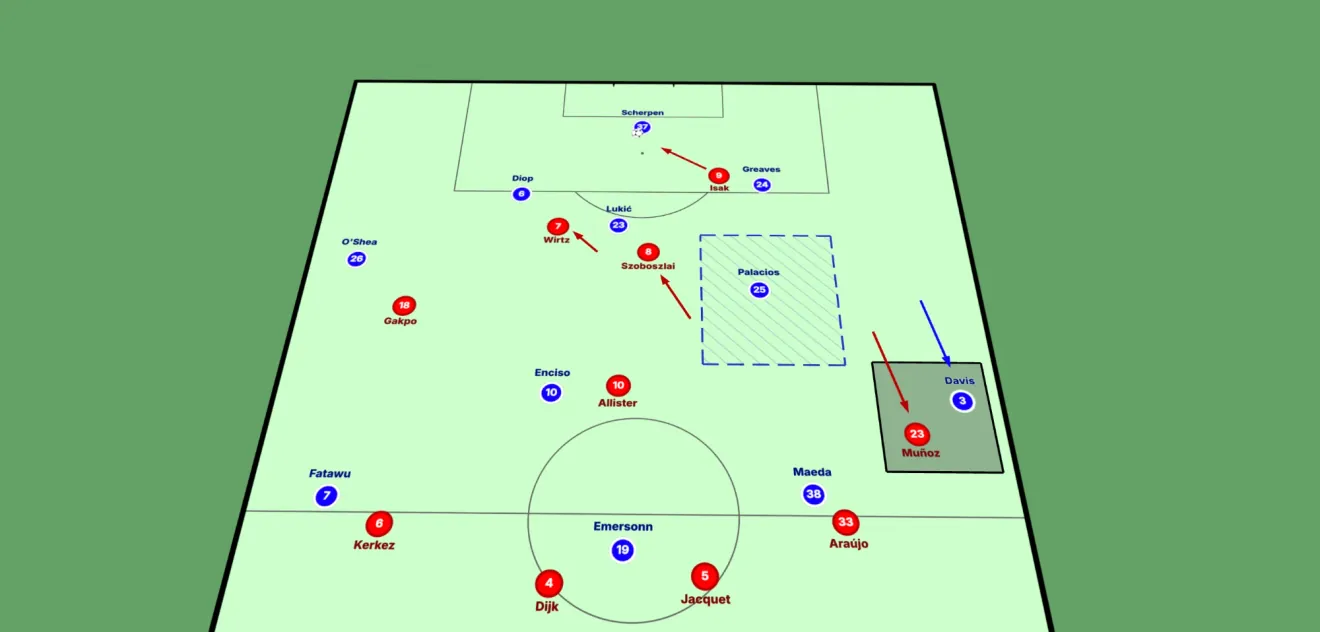
Use the top-down view to show spacing and team shape. Rotate, tilt, and zoom the same board in 3D to present the scene from another angle, then frame the view for your briefing or diagram.
Choose your pitch and formation, or start with a blank board.
Position players, the ball, and any training equipment you need.
Add movement arrows, connections, highlighted areas, and coaching notes.
Save an editable board or export a PNG for your session plan or team briefing.
When a diagram needs movement, continue in Animation Studio. Build the phases of a practice or tactical sequence, animate passes and runs, and export a video to share.
Explore Animation StudioSelect a player and open Player’s Eye to explore the scene from their position. Use it to discuss the options and space visible to that player.
Explore Player’s EyeYes. Place players, the ball, cones, goals, and mannequins to build the practice. Add arrows, highlighted areas, and text to explain the movements and coaching points. The board helps you create drill diagrams to use within your training session plans.
Yes. Start from a formation preset or position players yourself. Adjust names, numbers, team colours, and positions to show the shape you want to explain.
Yes. Use the top-down 2D view for formations and spacing, or rotate, tilt, and zoom the 3D view to present the same scene from another angle.
The standalone Tactics Board runs in your browser without installation. The desktop Animation Studio for Mac and Windows (Windows beta) includes the board and drawing tools for creating diagrams and animations. Both are included in your membership.
Yes, in two forms. The tactics board runs in a modern web browser on a computer or tablet, with nothing to install. There is also a desktop app for Mac and Windows (Windows beta), which includes the board, Animation Studio and desktop video analysis. There is no phone app. One membership covers the web tools and the desktop app.
Yes. Save your board as an editable project and load it when you want to continue. You can export a PNG image to include in a session plan, presentation, or team briefing.
Yes. Use a saved board as the starting point in Animation Studio, then add steps to show how players and the ball move. Learn about tactical animation.
Yes. Screenshot-to-Board detects and maps visible players from a match screenshot. Review and refine the result, then open it in the browser tactics board or animator. In desktop Animation Studio, open the mapper from the left rail. Explore Screenshot-to-Board.
Yes. Monthly and annual DrawTactics memberships include the tactics board and the other tools across web and desktop. Compare membership plans.
Build diagrams, explain movement, and share your coaching ideas with one DrawTactics membership.
Get Started