
Players, teams and the board
Correct the teams, add players the Mapper missed, take off wrong ones, add numbers and names, and adjust the board.
Teams
The Mapper splits the players into two teams by shirt colour and sets each team's colours to match. The bigger group becomes Home, which may not be the real home team. Players it can't place in either team are grey.
Correct detections
Use Correct detections, beside your screenshot: choose an action, then click on the screenshot.
- Set Home and Set Away: click players to put them in that team. It stays on, so you can click several; click empty space or press Esc when you're done. Putting the referee or an official in a team puts them on the board.
- + Home player and + Away player: click a missed player's feet to add them.
- Remove player: click a wrong box, such as someone in the crowd, to take it off.
Press the action again, or Esc, to stop.
Numbers and names
Click a player's box on the screenshot, then type their shirt number (up to two digits) and name in Player number and name. They show beside the box and on the board.
The board
Under the screenshot is the board, from above.
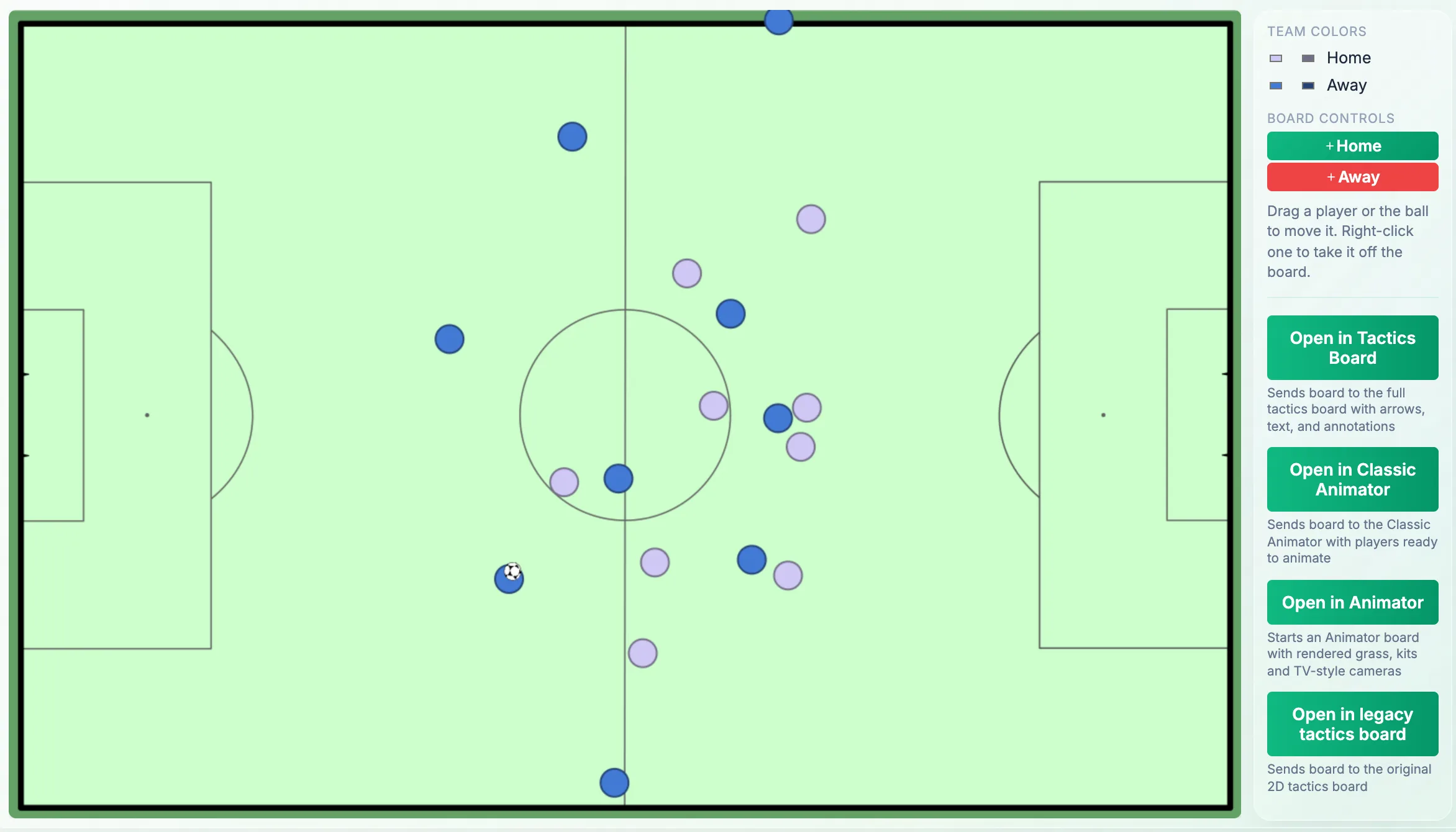
- Drag a player or the ball to move them.
- Right-click a player or the ball to take them off the board.
- + Home and + Away add a player at the centre spot.
- Team Colors change each team's colours: the first swatch is the fill, the second the outline.
Players you add or take off on the board stay that way when the pitch is mapped again. Players you dragged are placed again from the screenshot, so map the pitch before you fine-tune the board.
Something missing, wrong or unclear? Tell us and we'll fix it.